

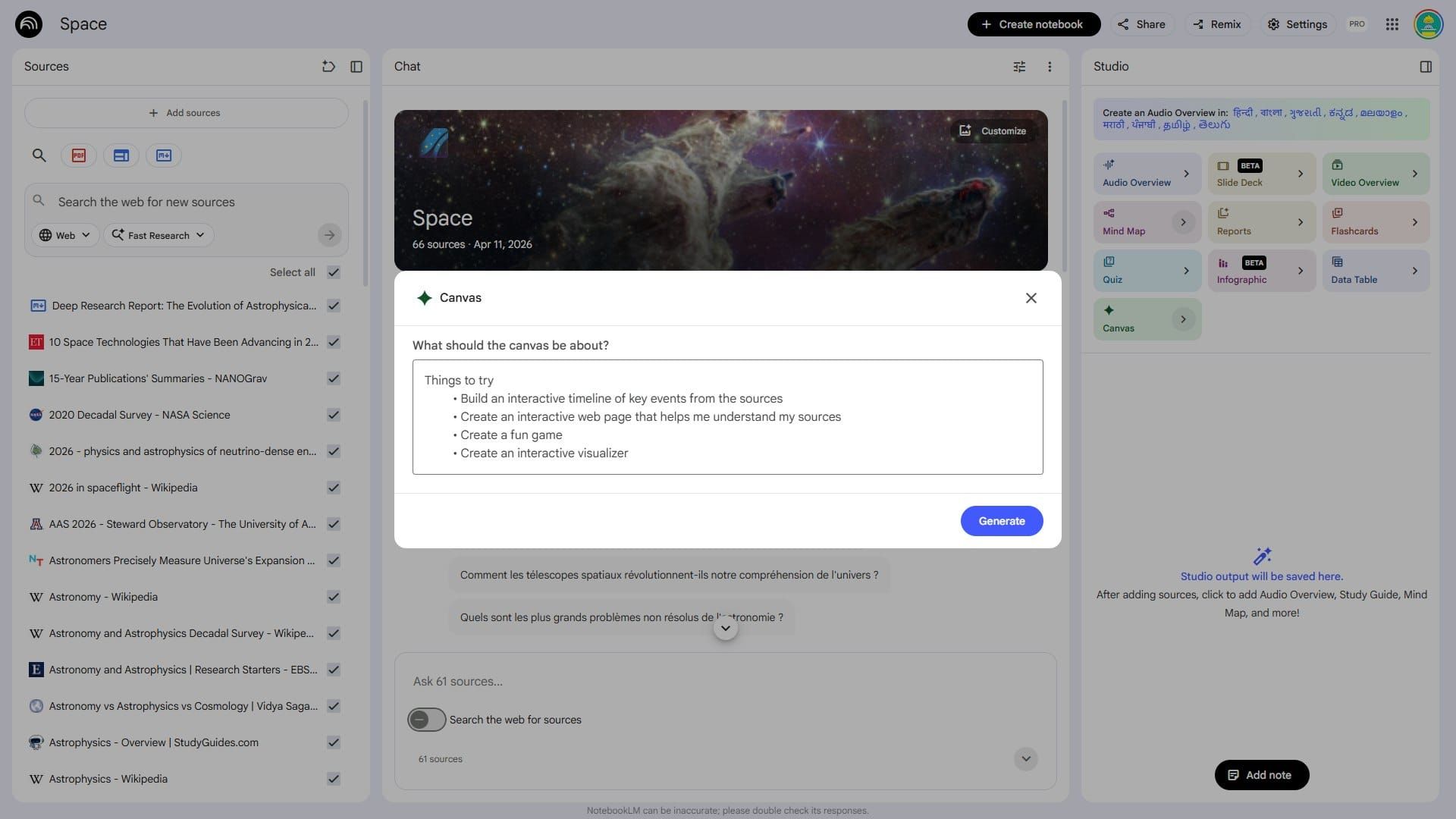
Google appears to be preparing a broader expansion of NotebookLM, with one of the clearest additions being a new Canvas option inside Studio. The feature looks designed to generate a visual or interactive layer on top of a notebook’s existing sources. Early prompts suggest users may be able to turn source material into an interactive timeline, a web page for understanding documents, a lightweight game, or a visualizer. For students, researchers, analysts, and teams working through dense material, that would push NotebookLM beyond summarization and into guided exploration built directly from the source set.
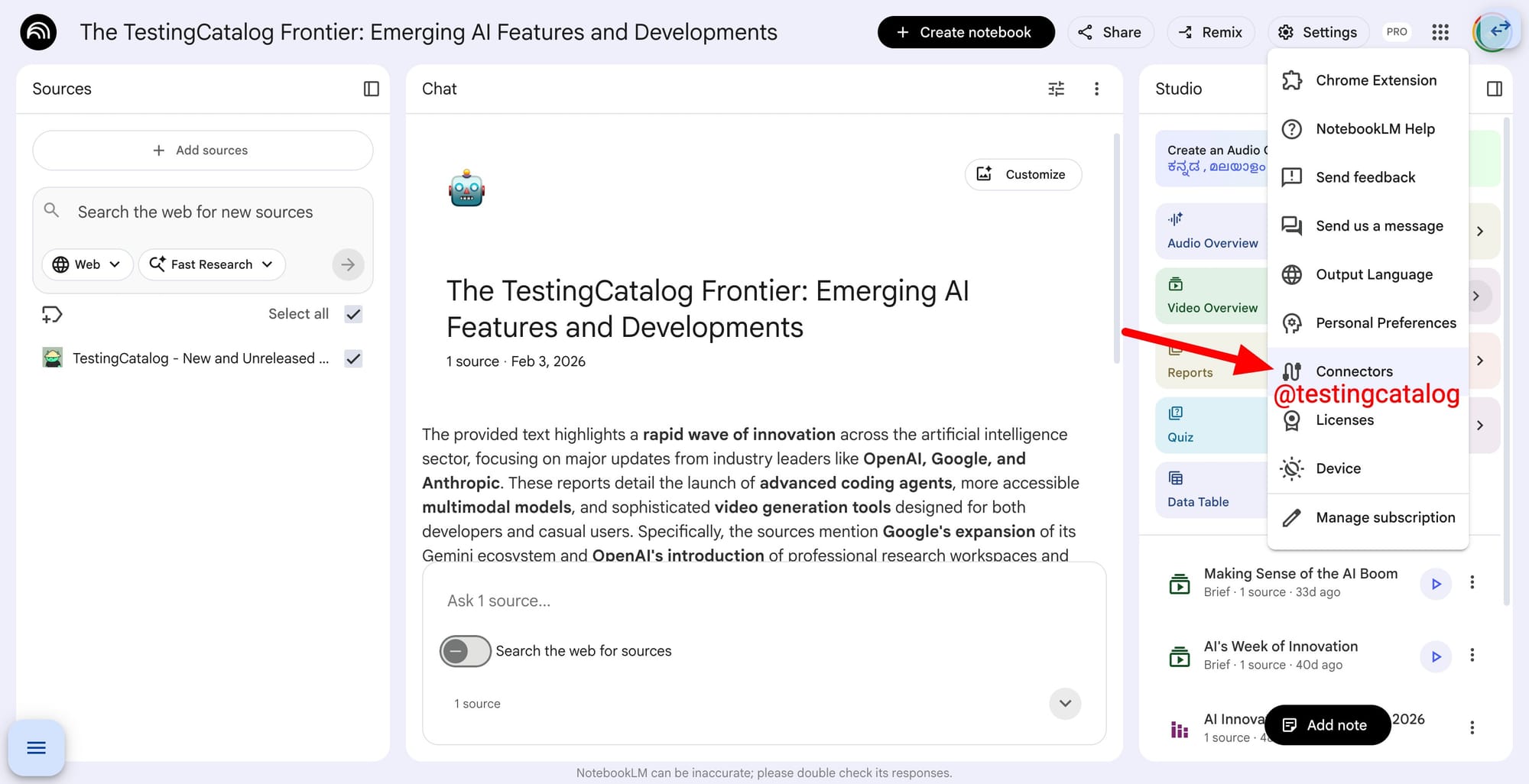
The update also points to a broader shift in how NotebookLM handles context. A new Connectors option in settings suggests Google is preparing ways to bring in data from other services, likely starting with products from its own ecosystem. If that direction holds, NotebookLM would move closer to becoming a central research layer across Google tools rather than a notebook limited to manually added files and links. That fits Google’s current product strategy, which has increasingly focused on grounding Gemini-powered tools in user-provided context and workspace data.
The source organization also seems to be getting attention. Users may soon be able to add labels to individual sources, making it easier to sort and revisit material inside larger notebooks. There are also signs of an Auto Label feature, which would let Gemini assign categories on its own. Together, those additions would matter most for heavy NotebookLM users managing large source libraries, where navigation becomes a bottleneck long before analysis does.
Timing remains unclear, but these changes would line up well with the usual I/O buildup around Google’s AI products.
Google is rolling out custom banners and custom summary support on NotebookLM!
— TestingCatalog News 🗞 (@testingcatalog) April 11, 2026
Stealth release 👀 https://t.co/KD3kN3DY2D pic.twitter.com/v8UVKJh5Z5
That would also match the recent rollout of notebook customization options, including custom banners and editable notebook summaries, which began appearing publicly in March. Taken together, the direction is fairly clear: Google is steadily turning NotebookLM from a source-grounded research assistant into a workspace for building structured, visual, and potentially app-like experiences on top of your documents.
A tip from @Thomas16937378


