

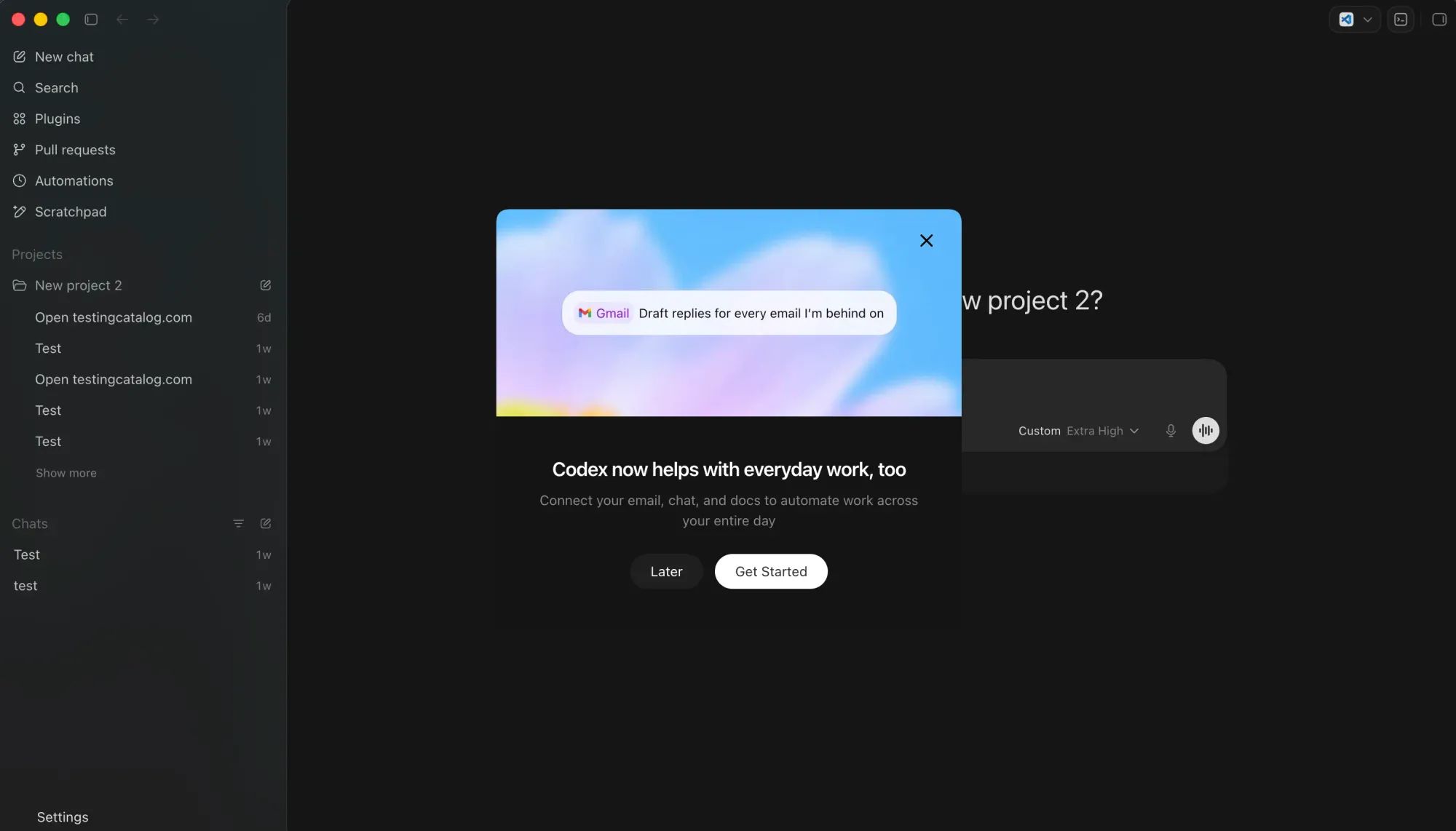
OpenAI has rolled out a Codex app refresh that extends the desktop client beyond its origins as a coding-only command center, moving toward broader white-collar workflows. The update introduces a reworked onboarding flow designed to cater to a wider range of professions, along with prompts to connect email, calendar, and Google Drive. Enhancements in speed and design have been made, and browser and computer-use capabilities now include annotation support, allowing users to mark up rendered pages and artifacts directly.
Codex for everything:
— Andrew Ambrosino (@ajambrosino) April 30, 2026
- Dynamic UI for the task at hand
- 20% faster computer & browser use
- Even better slides and sheets
- Annotate in browser, artifacts, and code
- Easier to get started
- Cleaner design across the app
- Performance improvements
- (no clunky… pic.twitter.com/re5Mlb13Qj
However, customers in Europe will not experience the full range of features, browser and computer-use functionality has been disabled in some regions without a public explanation. This mirrors a carve-out OpenAI already maintains for the EEA, the UK, and Switzerland on its macOS computer-use plugin.
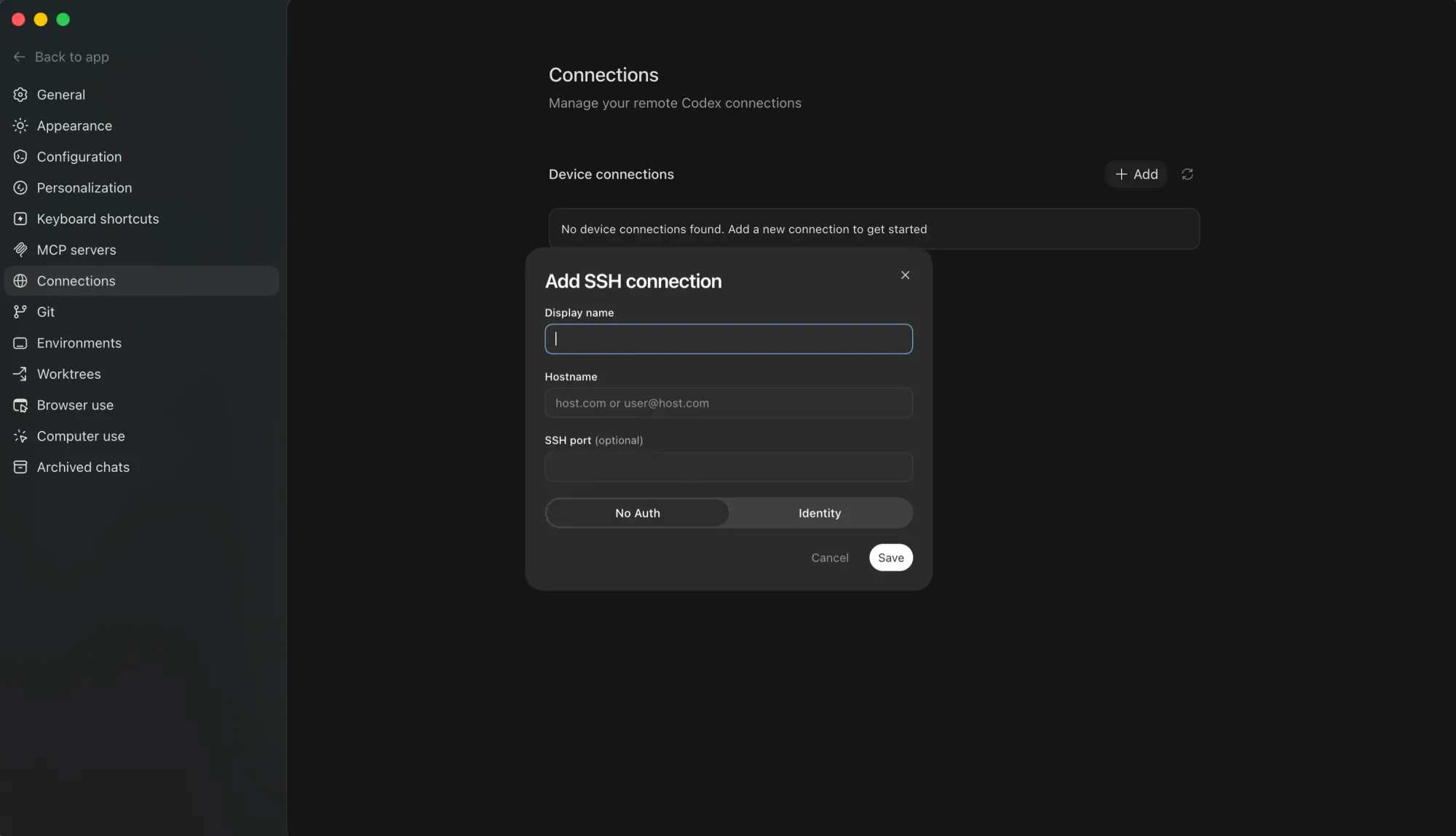
Beneath the surface, the build includes several unannounced additions. A new Connections tab in Settings reveals an SSH option, enabling users to pair Codex with a remote desktop and instruct the agent to operate local apps remotely, a significant step toward cross-machine agency.
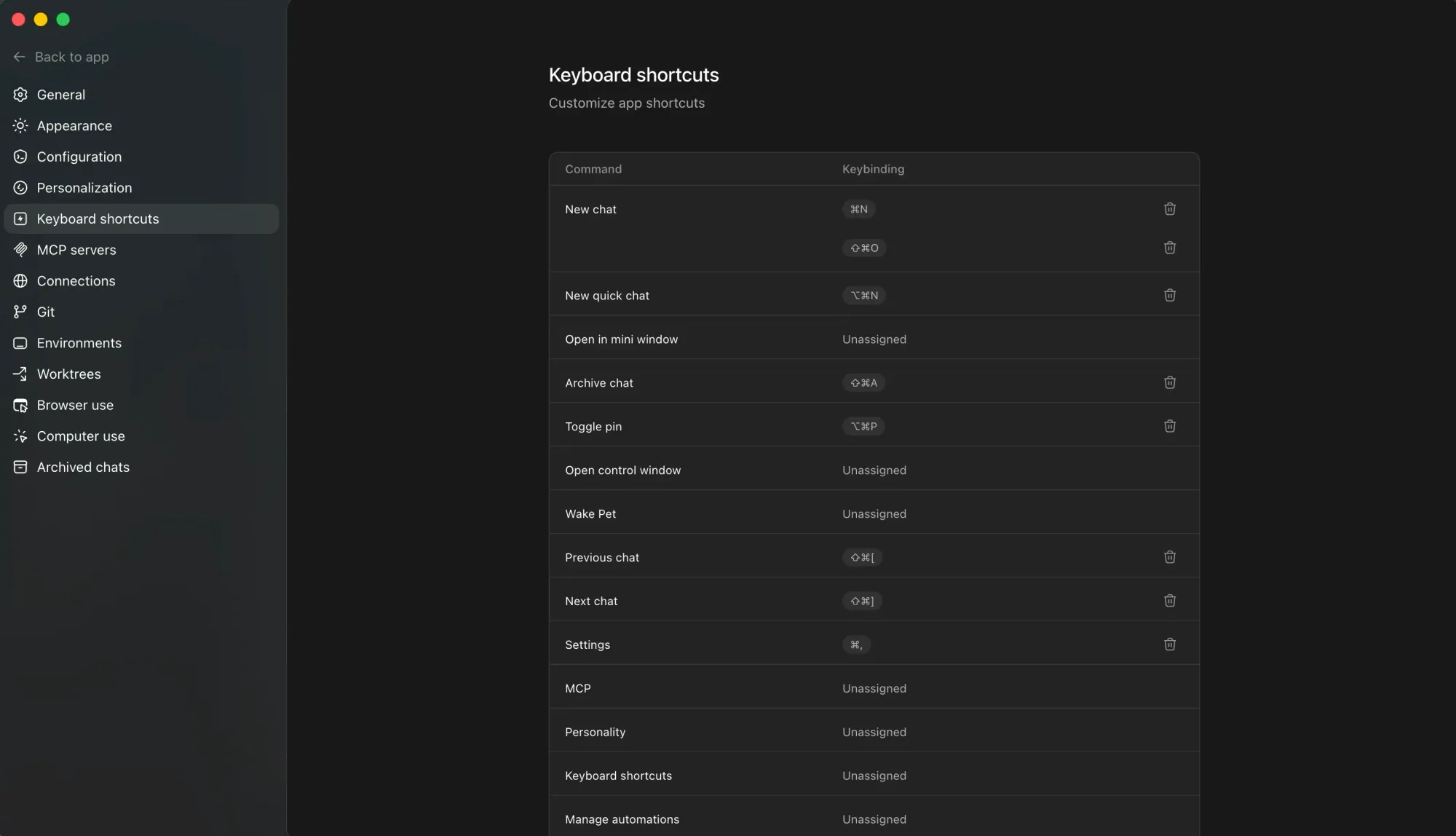
A Keyboard panel for remapping shortcuts is also included, and the previously spotted "avatars" feature has been quietly renamed to "pets."
A new feature sneaked in the Codex app’s latest update. You can now do /side (or use the ... menu) to spawn a side chat! Useful when you're deep in a thread and want to have a side question in the current context! pic.twitter.com/9tywlE5GAp
— Thomas Ricouard (@Dimillian) April 30, 2026
Two slash commands complete the set: /side opens a parallel ChatGPT conversation in a side panel for auxiliary questions while a primary task is running, and /goal , revealed through recent GitHub commits, appears to allow users to assign Codex a longer-term objective, such as a KPI to work toward continuously.
/goal also lands in Codex CLI 0.128.0.
— Felipe Coury 🦀 (@fcoury) April 30, 2026
Our take on the Ralph loop: keep a goal alive across turns. Don't stop until it's achieved.
Built by my co-worker and OpenAI mentor Eric Traut, aka the Pyright guy. One of the GOATs I get to work with daily.
Codex goal feature seems cool
— Max Weinbach (@mweinbach) April 30, 2026
Looks like you can give Codex a goal and it’ll continue to work, plan, and test until it’s done?
I’m just reading the commits here but that’s what I think it is? pic.twitter.com/1T8RDXUvjD
Strategically, this aligns with OpenAI's direction for Codex over recent months. The product is being repositioned as the super-app tier of ChatGPT, alongside Atlas and ChatGPT. The push for connectors, automation layers, and skills architecture all indicate a Codex that aims to be the operating surface for any knowledge worker, not just engineers. The /goal command, in particular, fits neatly into this strategy, moving toward the always-on agent paradigm that competitors like Anthropic's Conway are also pursuing.


