
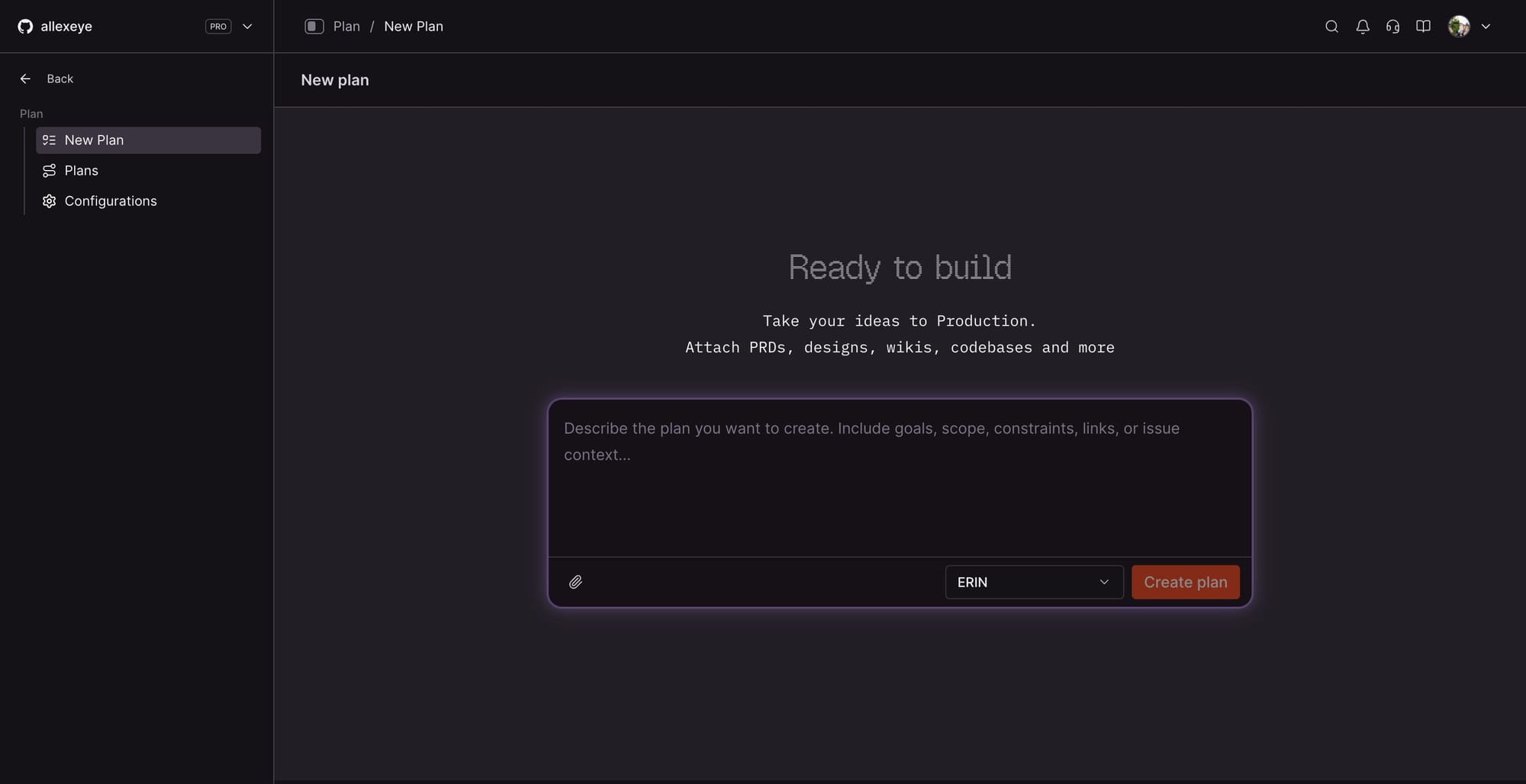
CodeRabbit has launched Planner, a collaborative planning layer built into its AI platform that moves the team conversation to before the first line of code is written. The feature goes live on March 18 and is available to all users, with a free trial accessible directly through the CodeRabbit platform.
CodeRabbit
Planner works by connecting to a team's issue tracker, supporting Linear, Jira, GitHub Issues, and GitLab out of the box. Once a ticket lands, CodeRabbit's context engine scans the codebase to surface the relevant files and dependencies, then produces a structured coding plan broken into phases, design choices, and specific tasks. The team can review, comment, and refine that plan inside a collaborative thread before passing it off to any coding agent of their choice, including Cursor, Windsurf, VS Code with GitHub Copilot, Claude Code, or Codex. There is no agent lock-in by design.
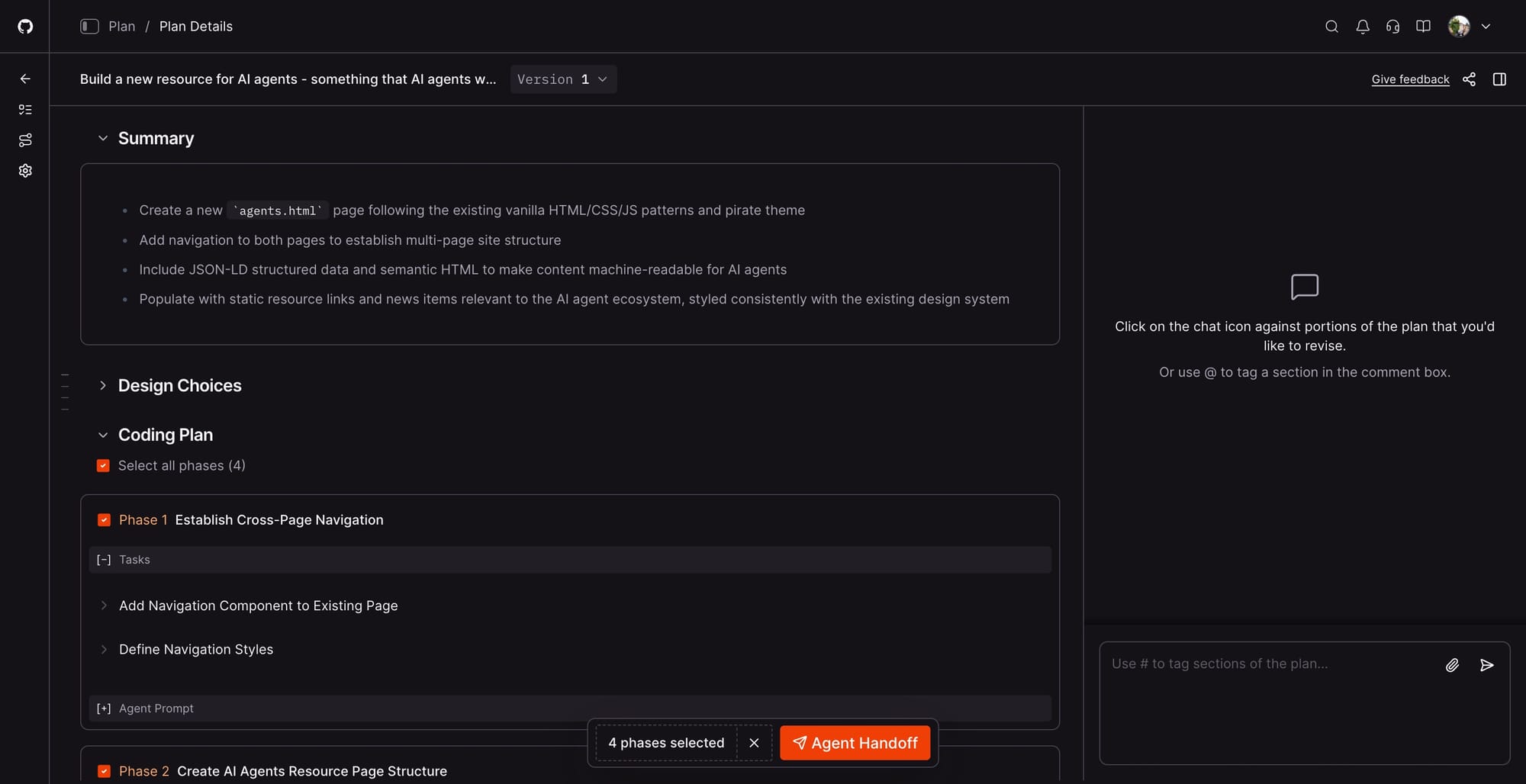
The bottleneck in AI-assisted development is not the agent itself; it is the absence of a shared, well-scoped plan before work begins. When teams skip planning, agents operate on incomplete assumptions about scope, architecture, and conventions. The result is back-and-forth iteration cycles, partial rewrites, and PR reviews that turn into architecture debates instead of final validation checkpoints. Planner repositions those discussions to before the first commit, giving everyone on the team a structured record of intent, constraints, and tradeoffs that feeds directly into execution.
Test it out for yourself at CodeRabbit!
CodeRabbit built its name as an AI-powered code review tool used by engineering teams to automate pull request feedback. Planner extends that presence upstream in the software development lifecycle, adding a pre-coding workflow to a platform that previously focused on post-coding review. For solo developers, it outputs a context-rich, ready-to-paste prompt for any preferred agent, removing the overhead of manually assembling codebase context before starting a task. For teams, the planning thread replaces scattered Slack discussions and informal design notes with a structured, AI-assisted record linked directly to the issue. The feature installs in two clicks and requires no credit card to try.