
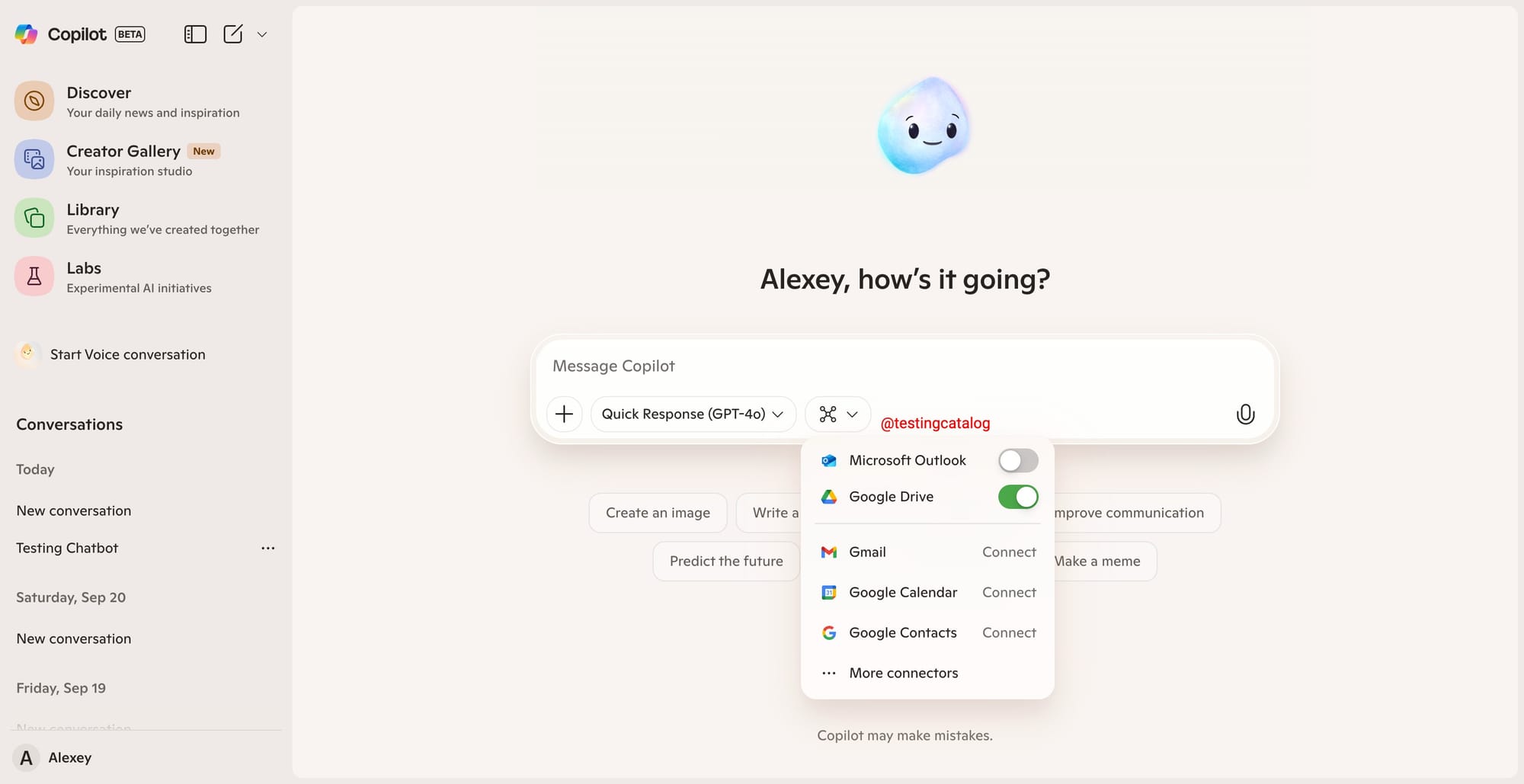
Microsoft is pushing forward with its Copilot expansion, and it now looks like broader third-party integrations are nearly ready. The previously hidden Google Drive connector can already be enabled, with connector selectors surfacing in the prompt bar. This direction brings Copilot closer to the multi-source aggregation seen in competitors, but with a strong Microsoft twist: connectors for Outlook, Gmail, Google Calendar, and Google Contacts are all being added, making it possible to pull in and analyze content across work and personal accounts.
Microsoft is working on new Connectors for Copilot, Coco mode and email assistant!
— TestingCatalog News 🗞 (@testingcatalog) October 1, 2025
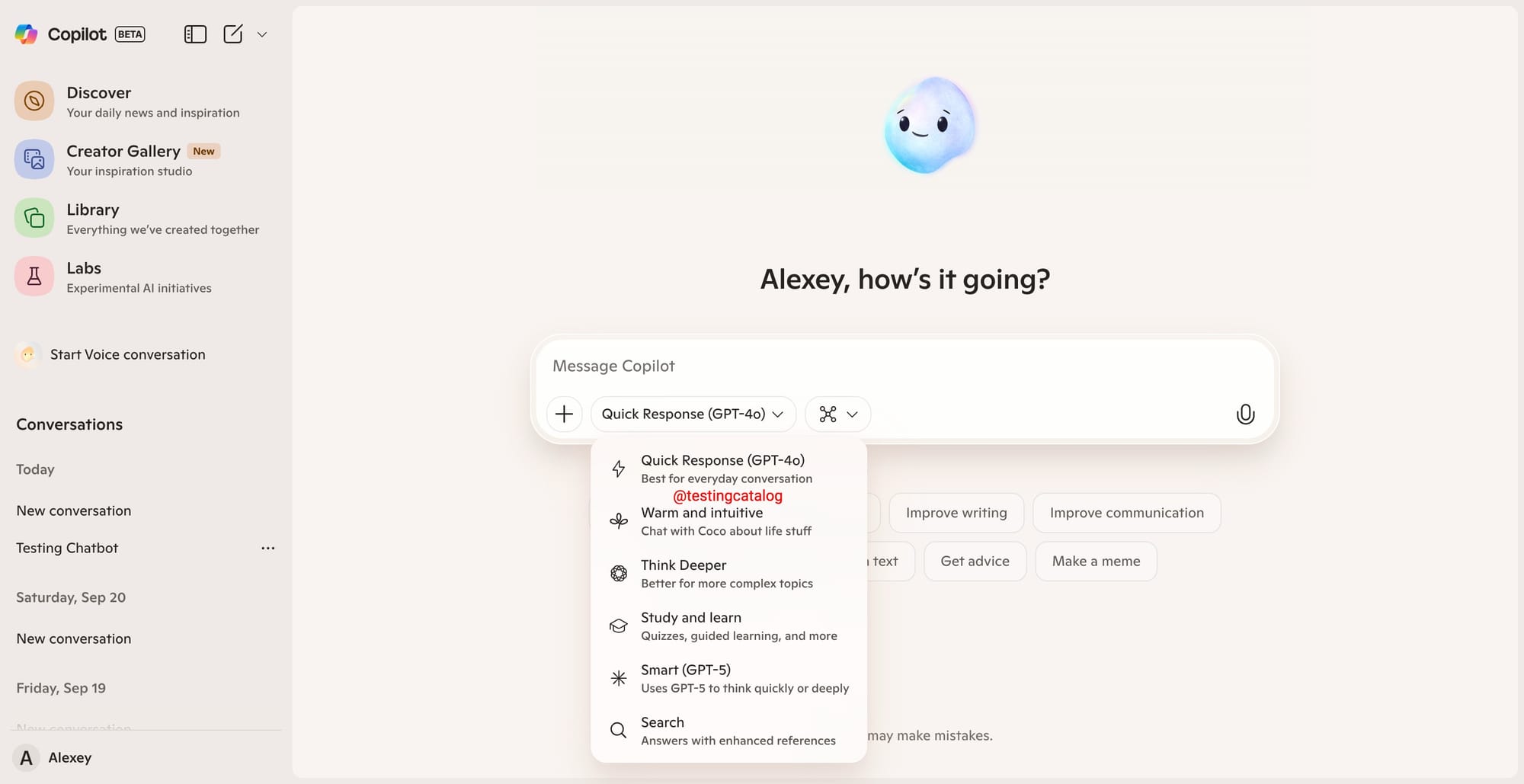
Coco mode is a new chat option labelled as "Warm and intuitive" where users will be able to "Chat with Coco about life stuff".
Copilot therapy 👀 pic.twitter.com/GkAJNoBfG0
For Outlook, the new connector isn’t just a file picker—it’s positioned as a full inbox and calendar assistant. Descriptions suggest Copilot will be able to search, read, and analyze messages and invites directly from Outlook. Additionally, internal flags reference an “email assistant,” which hints at an upcoming Copilot Assistant for email, usable straight from within the mail application. When it comes to Google services, connectors for Drive, Calendar, and Contacts are planned as toggles—once connected, Copilot gains ongoing access to those data sources, with users able to enable or revoke access at any time.
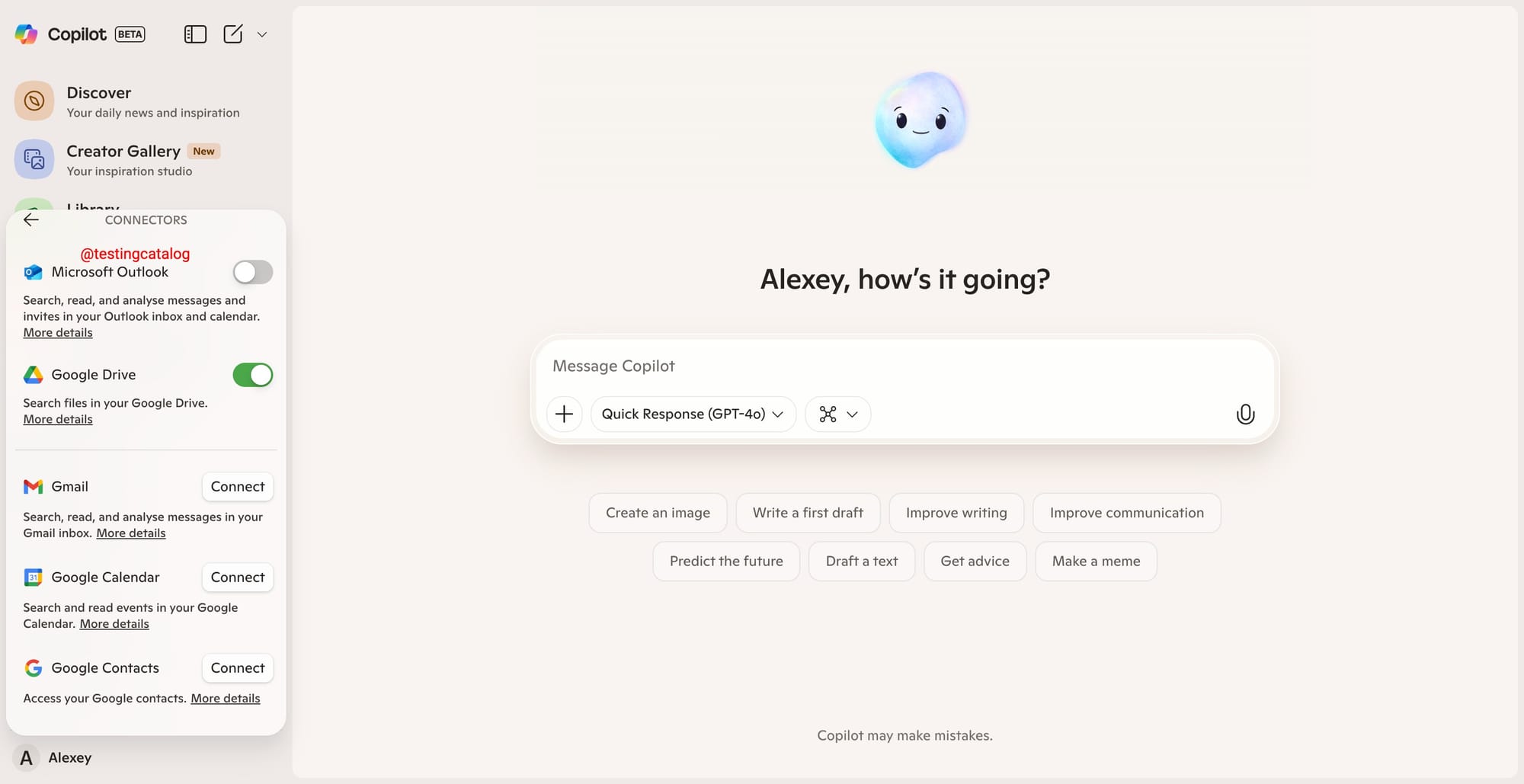
Each connector will have a dedicated toggle: connected sources give Copilot full access; otherwise, the user is prompted to connect. This approach mirrors the connector management style familiar to users of other productivity tools.
On the conversational side, Copilot is also working on new modes, including one called “Coco.” This mode is described as “warm and intuitive,” suggesting a more personal chat style. Whether Coco is a distinct agent, a persona, or simply a special prompt style isn’t yet clear, but selecting it gives a standard chat UI for now. The overall UI is becoming dense, with up to eight selectable modes soon available if all currently flagged options are rolled out.
These features, once live, would appeal to business users managing multiple inboxes, heavy Outlook users, and those who want to unify their work and personal cloud data in Copilot. Microsoft’s current strategy is to transform Copilot from a standalone AI tool into a true productivity hub, weaving in both Microsoft and Google ecosystems. The latest integrations are nearly complete, so public release is likely in the coming months, based on the readiness of these hidden features. For those following Copilot’s evolution, this signals a new phase in Microsoft’s AI platform, emphasizing convenience and deeper workflow integration.


