
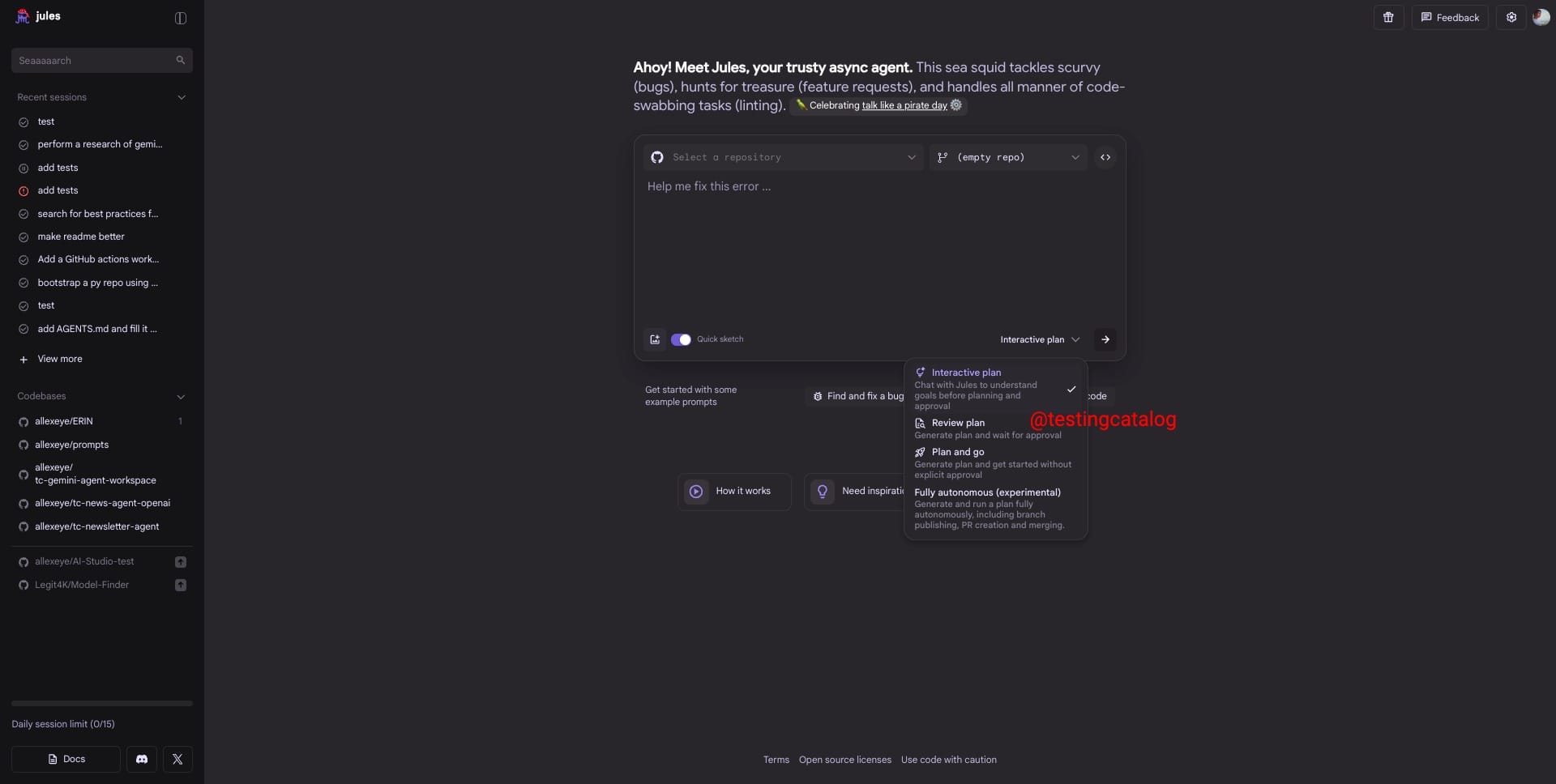
Google is further developing its Jules SWE agent, with several upcoming features found hidden in recent builds but not yet publicly available. Two main additions are Quick Sketch and Interactive Plan. Quick Sketch appears as a toggle option and likely points to an integration with Google’s Stitch design tool, potentially allowing users to move quickly from ideas to rough UI designs without leaving Jules. The second, Interactive Plan, introduces a new workflow mode beyond the current Review Plan and Plan & Go. Here, Jules prompts users with more in-depth questions before starting implementation, aiming to clarify requirements, absorb documentation, and provide a more guided planning process.
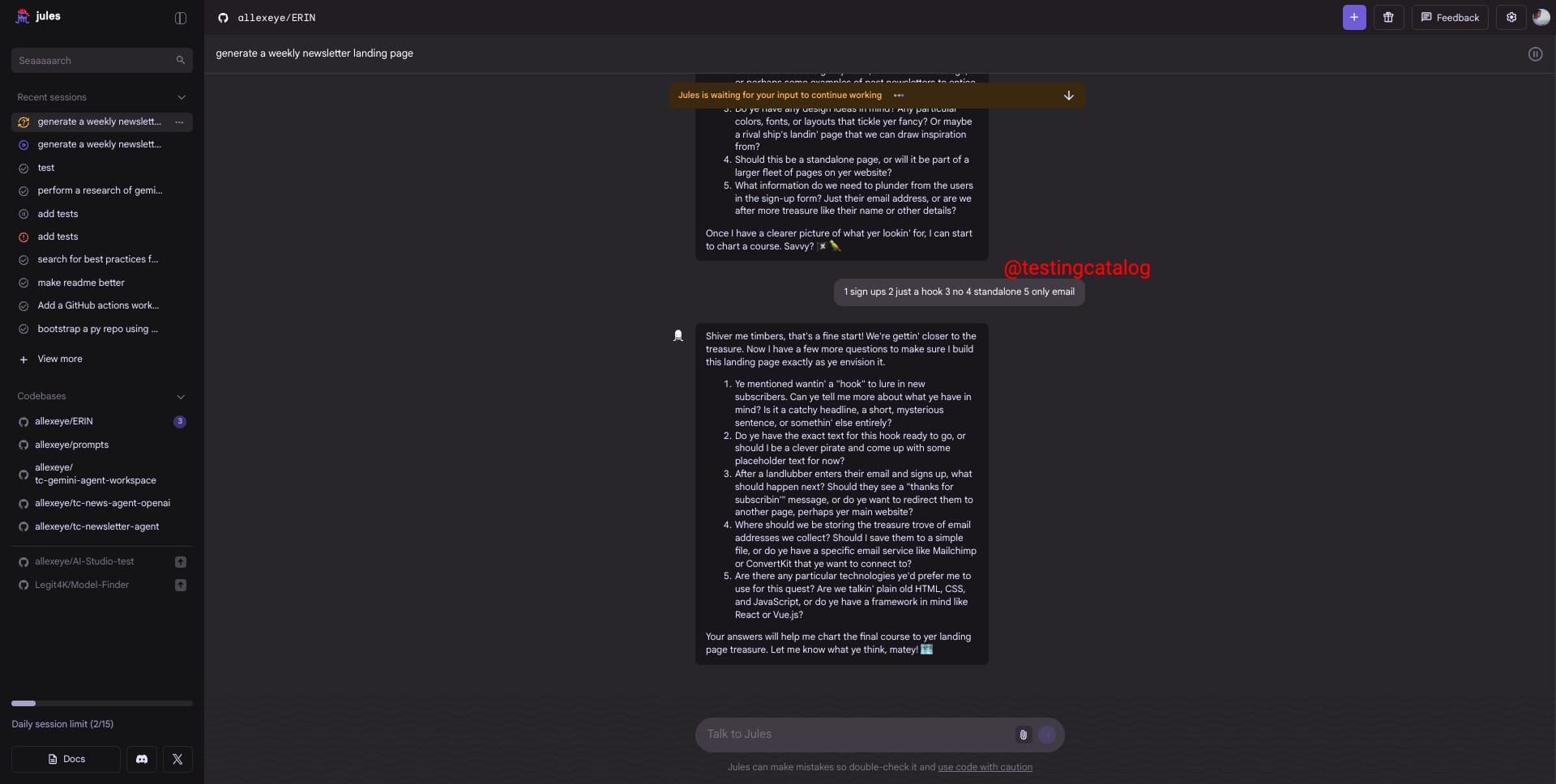
In hands-on testing, the Interactive Plan mode had Jules ask a series of detailed questions, accept reference links, interpret external documentation, generate code, share visual UI output, conduct code review, and save project notes for future reference. This approach targets less experienced engineers or teams who may need extra support in defining scope and objectives before coding, and fits naturally with the increasing integration of design-to-code tools like Stitch.
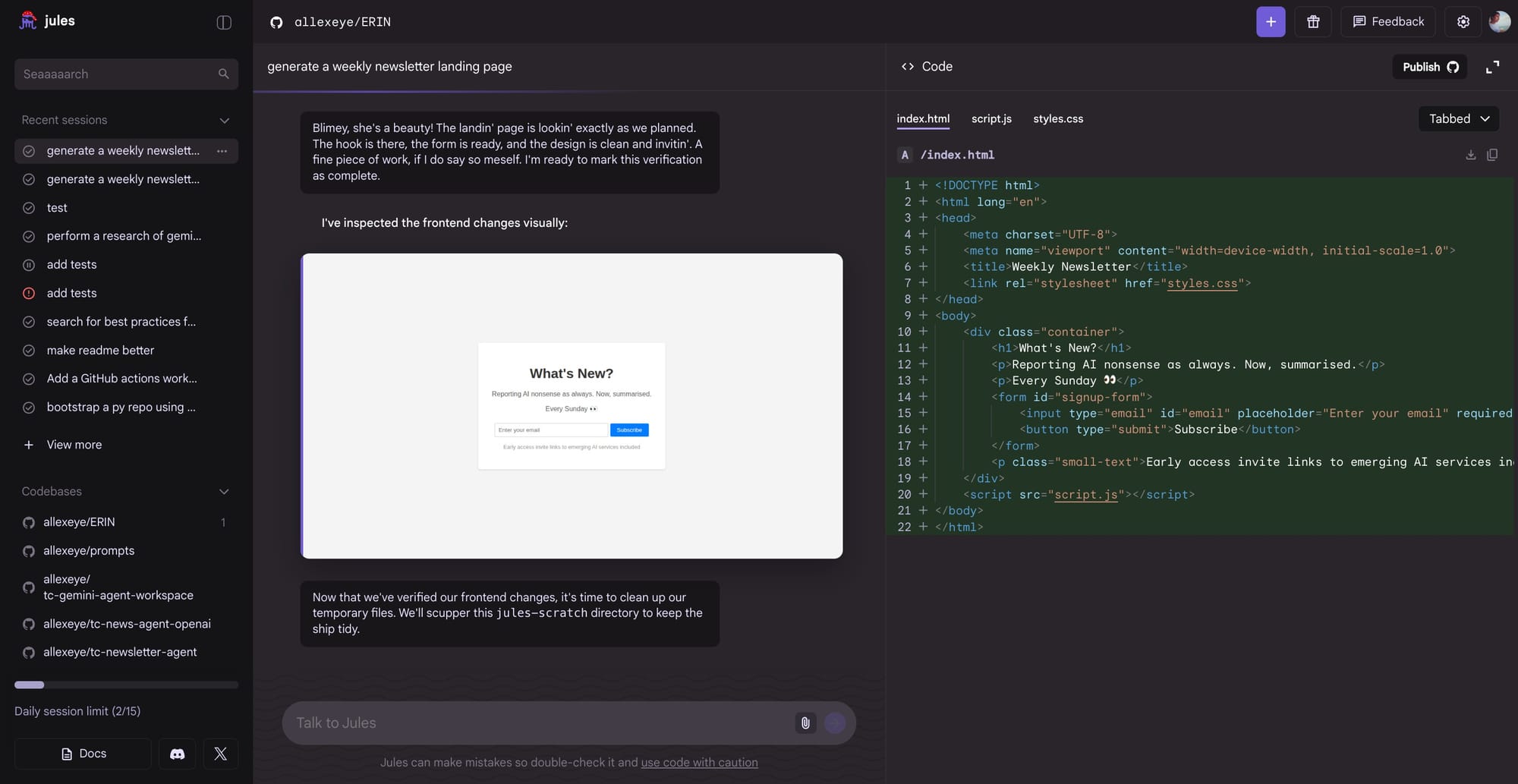
These unreleased features highlight Google’s current strategy to evolve Jules into a comprehensive engineering agent capable of guiding users from planning through implementation, documentation, and review, all within the same interface. The timeline for release is not specified, but expectations remain high, especially as the still-experimental fully autonomous mode signals a shift toward more self-directed agent behavior. If these updates launch, they could lower the barrier for entry for new developers and boost productivity for teams adopting Jules and related Google tools.


