
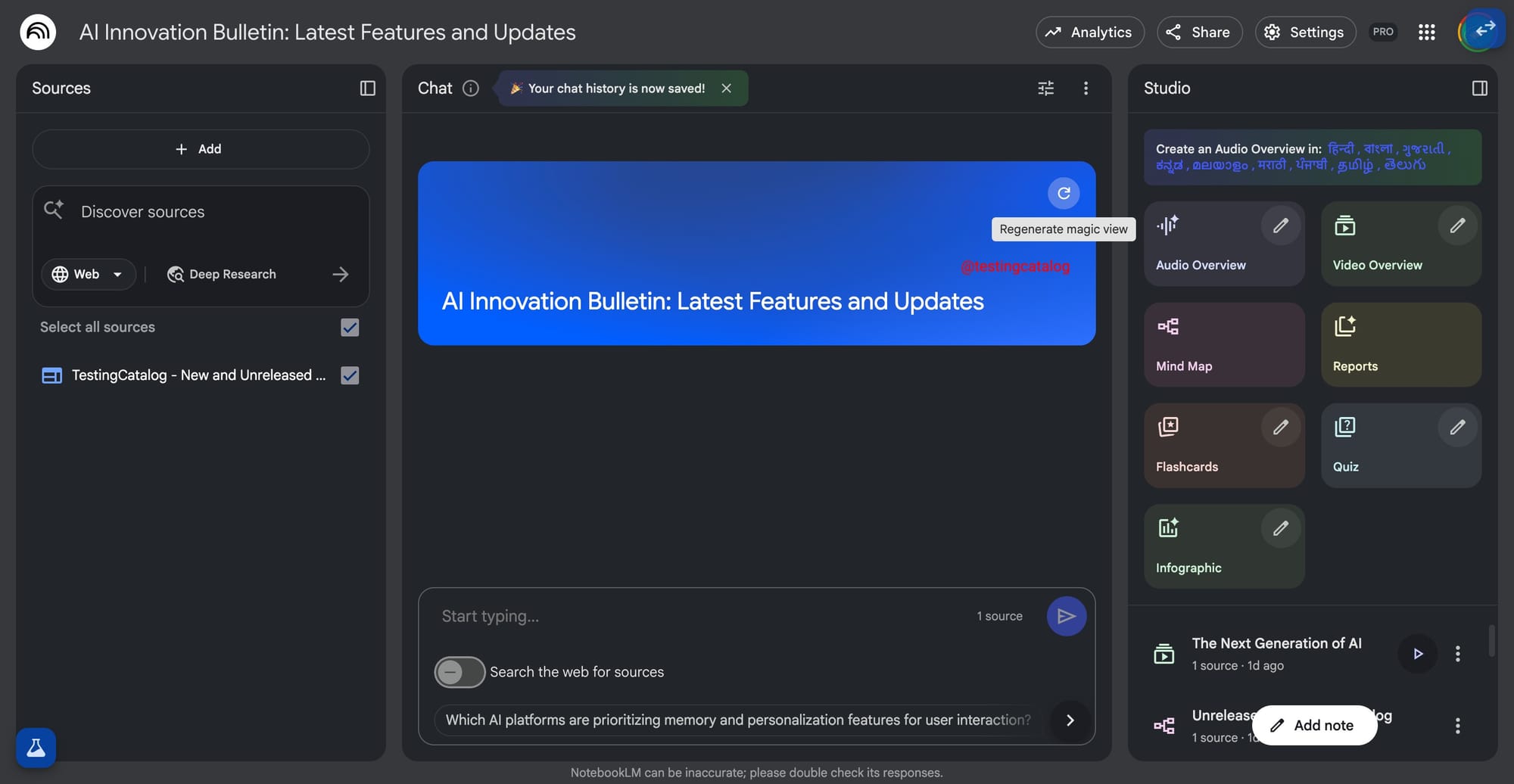
Google’s NotebookLM continues to receive a wave of updates, but the Magic View feature stands out for its persistent ambiguity and the curiosity it has generated among users. Initially, Magic View was found as a separate tile within Artifact Studio, but recent changes removed it from that section. Now, its presence has shifted to the main chat interface, appearing as a widget at the top of the screen. This widget displays the notebook name, a dynamic background that occasionally shifts color, and a “Regenerate Magic View” button marked by a refresh icon. For now, the core purpose of this feature remains unclear. Past interactions with the feature showed a pixelated loading view, which at first fueled speculation it might be linked to Google’s Pixel event. That connection, however, has since been dismissed.
Currently, there is speculation that Magic View could be a generative visual element, perhaps using Google’s image generation models to create backgrounds tailored to the topic or sources in the notebook. This fits the trend of NotebookLM integrating richer visual experiences, especially as video overview features are also set to receive upgrades. The recent UI shift signals a focus on embedding Magic View into the main workflow, possibly as a way to make the chat interface more context-aware or visually engaging.
How the feature will ultimately function, whether as a purely visual experience, an adaptive background, or something else, remains to be seen, as Google has yet to clarify its purpose. For those closely tracking Google’s product direction, this ambiguous rollout reflects the company’s pattern of quietly introducing experimental features to gauge user interest before expanding their scope.


