

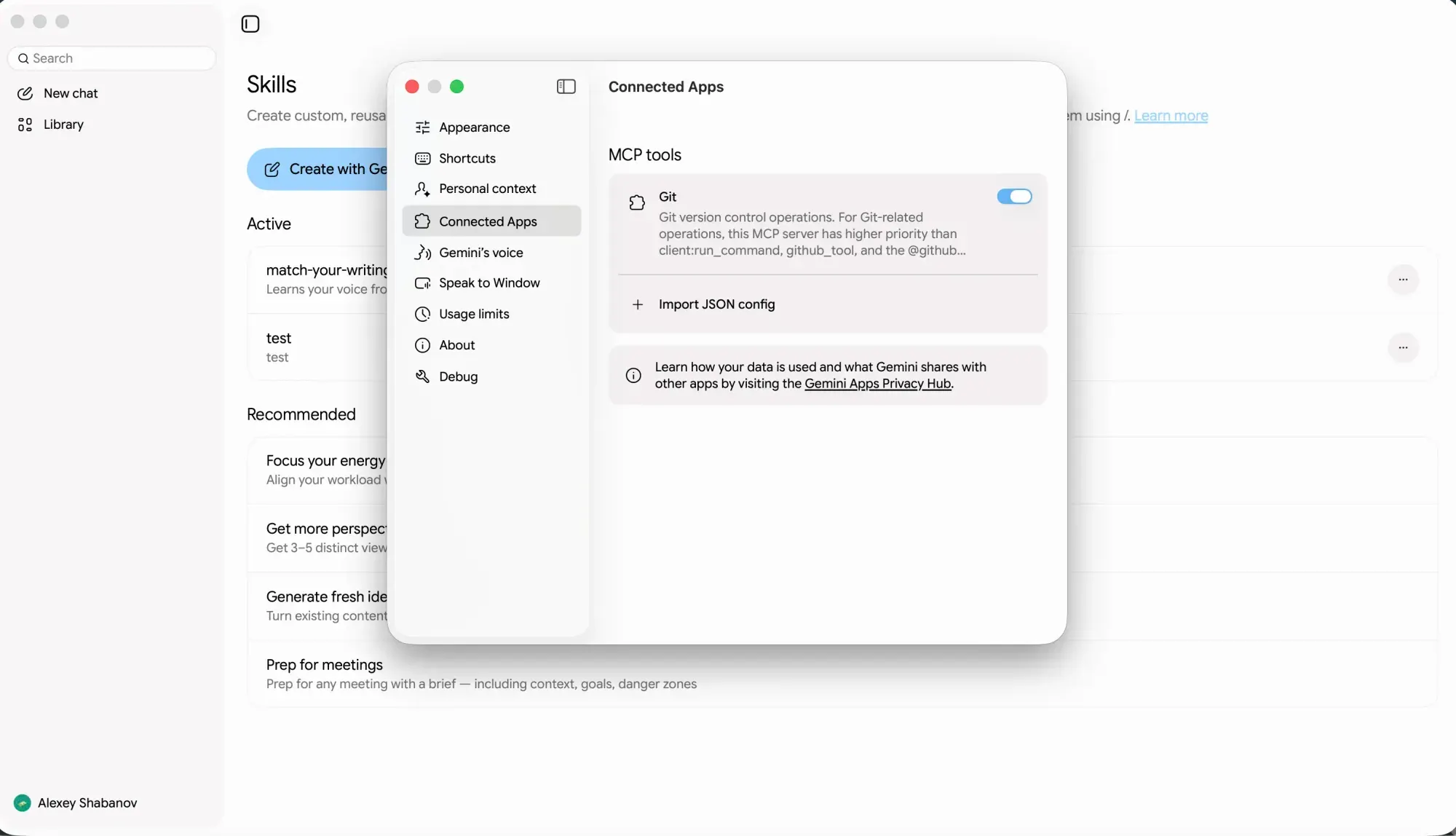
Google is narrowing the gap between the Gemini desktop app and its web counterpart, with several unreleased changes now in testing. Dedicated tabs for image and video generation are being added to the app's navigation, and an app configuration panel has appeared on the desktop for the first time.
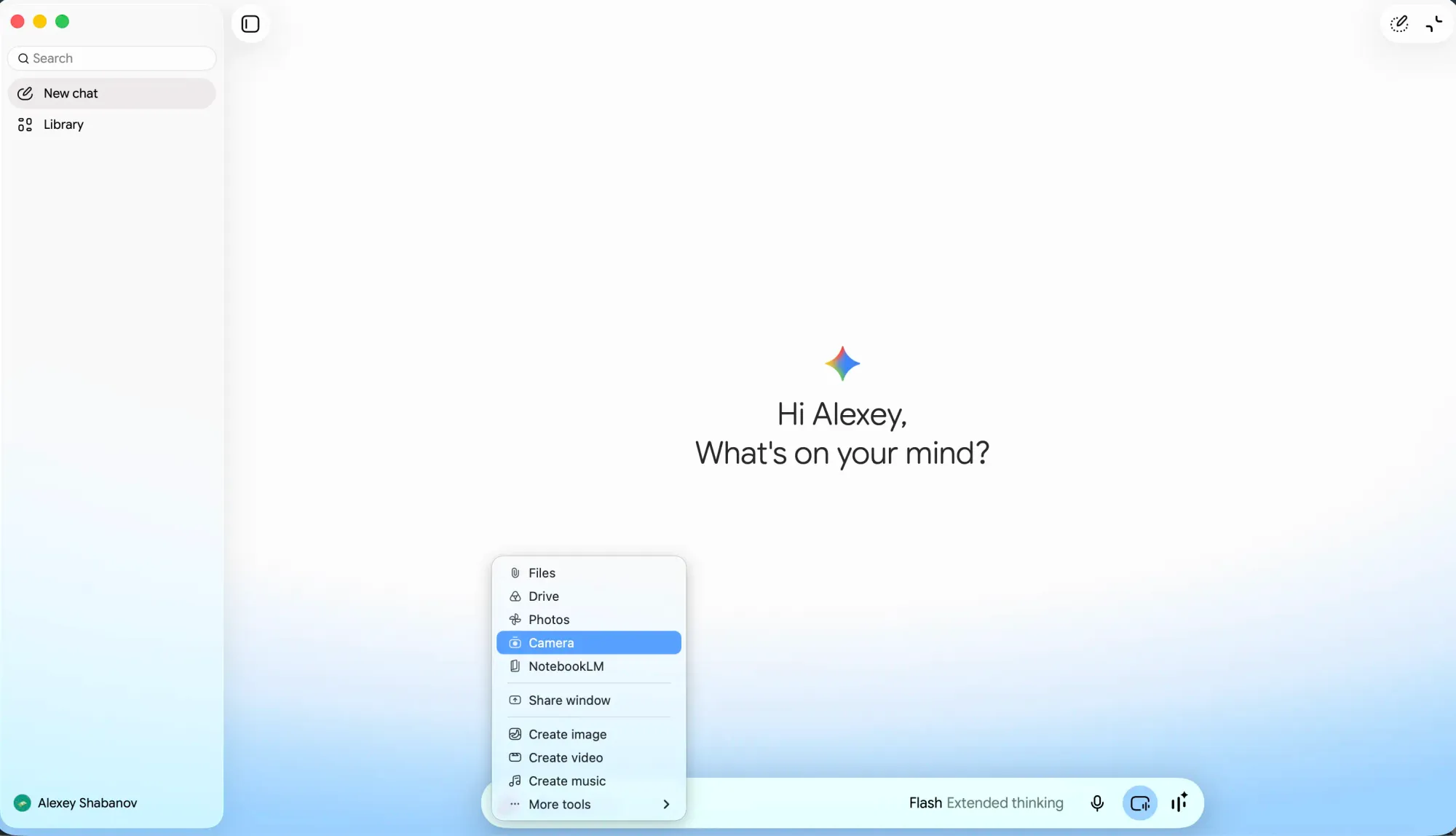
A second track is a camera attachment. From the attachment menu, users would select a camera option, which opens a capture screen, takes a picture, and drops it into the prompt. It reads as photo capture rather than a live video stream, keeping it distinct from Gemini Live's real-time sharing and closer to what mobile users already have.
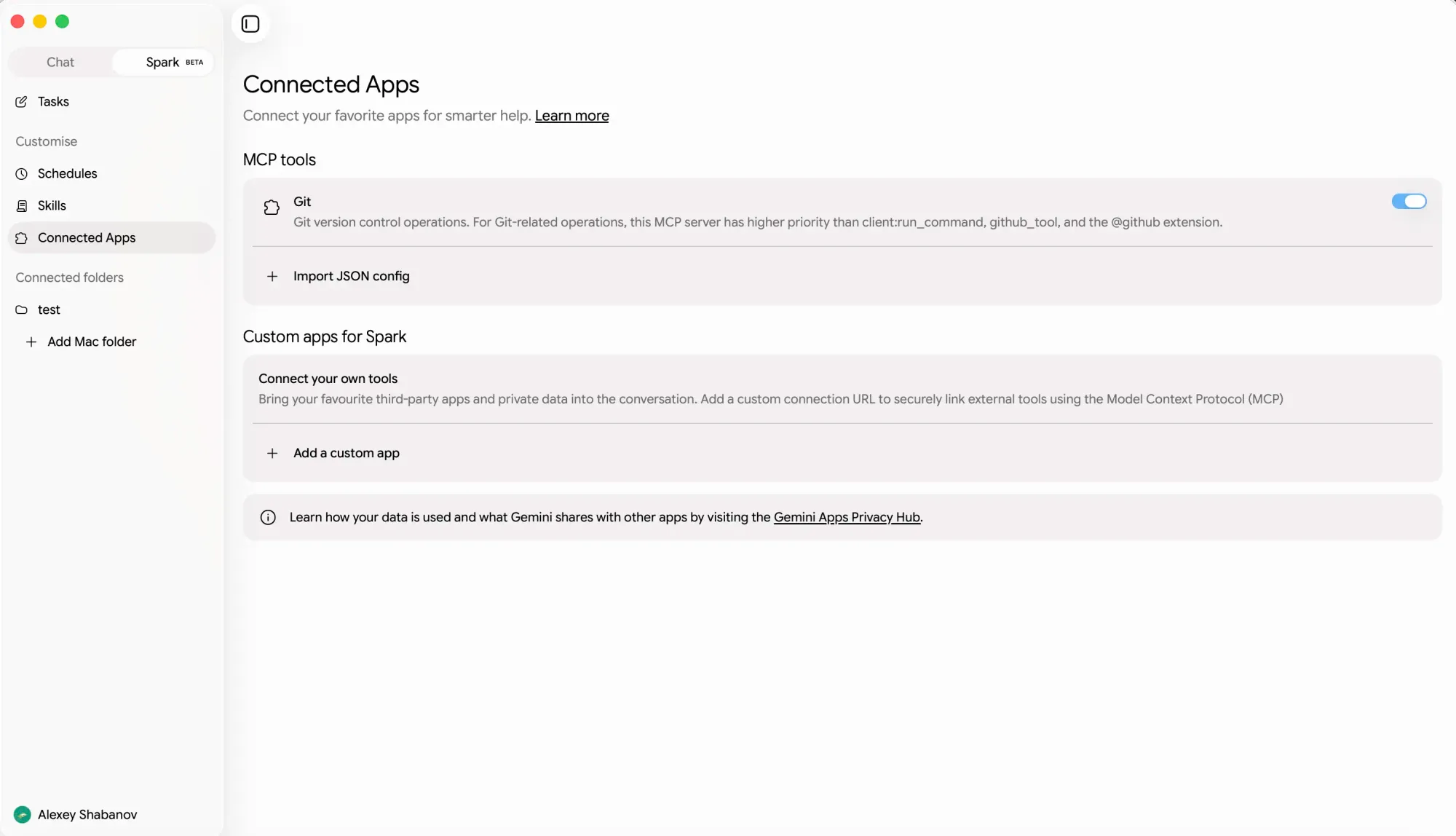
The third piece sits with Spark. Its connectors menu on desktop now includes an option to add custom MCP servers, bringing something previously confined to internal configuration into the visible agent settings. Google already permits custom MCP apps for Spark via the web app, so this is an extension of that rather than the first appearance, though it matters for anyone running Spark from the Mac app.
Gemini Spark is rolling out to Google AI Pro users outside the U.S.
— Google Gemini (@GeminiApp) July 31, 2026
Spark is your personal AI agent that works in the background 24/7 to get things done under your direction, handling the heavy lifting so you can focus on what matters. https://t.co/qq1RQK221m
Timing is unclear; these are trusted-tester builds with no public rollout date. The context is a busy month: Spark reached macOS on July 1 alongside Google Tasks and Keep connections, and intelligent dictation and screen-aware reasoning began rolling out on July 29. Together, generation tabs, camera capture, and connector management would leave fewer reasons to open the browser.


