

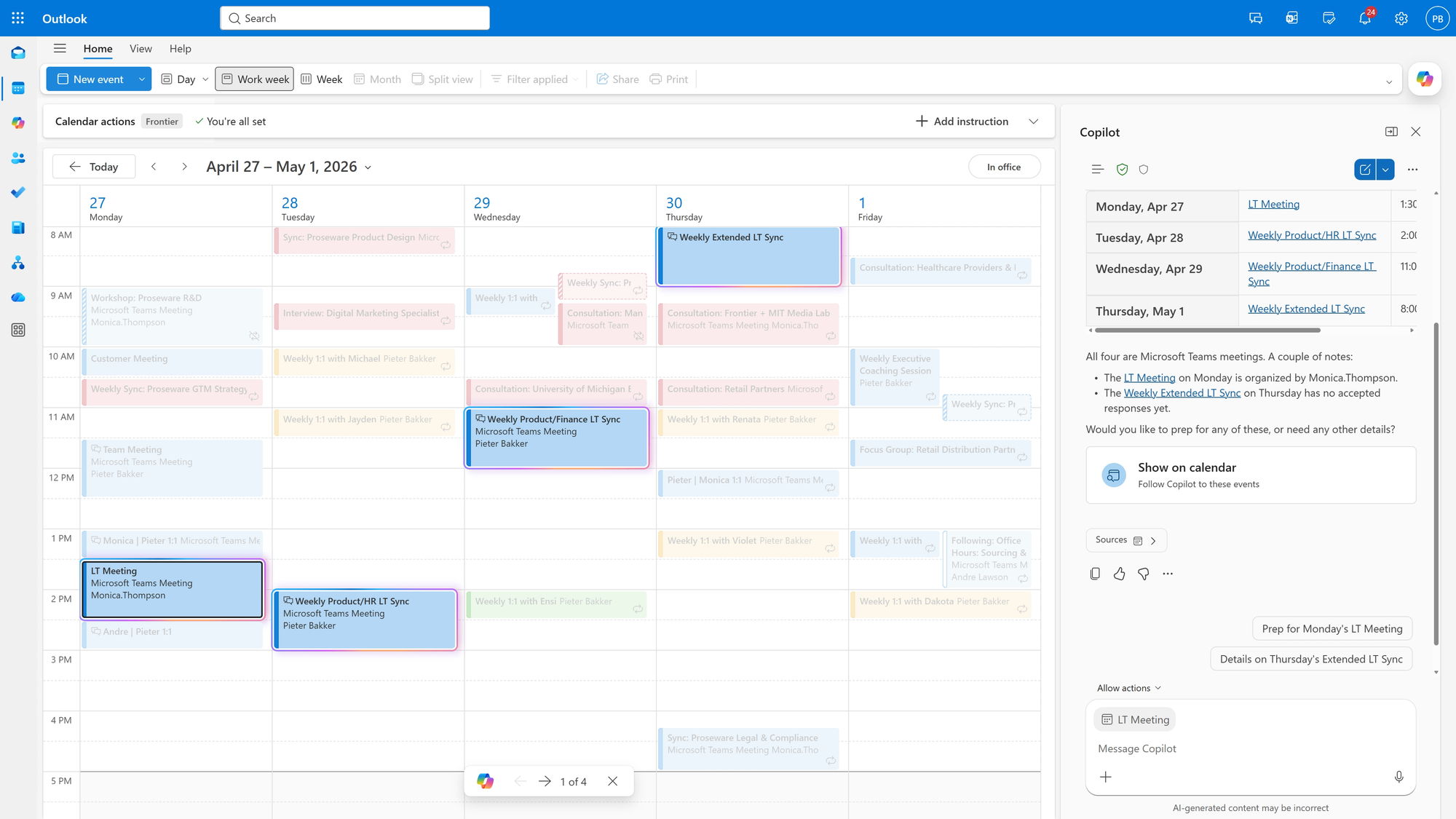
Microsoft has unveiled a major upgrade to Copilot in Outlook, introducing agentic capabilities that handle ongoing management of both inbox and calendar tasks. The release targets business and enterprise users participating in the Frontier program and is available across all Outlook endpoints, including Windows and the web, starting April 27. This update moves beyond previous Copilot features, which focused on one-off tasks like drafting emails or summarizing threads. Now, Copilot actively triages emails, suggests and drafts follow-ups, prioritizes messages, and manages scheduling conflicts without requiring manual prompts for every action.
Agent Mode is here in Outlook!
— Satya Nadella (@satyanadella) April 27, 2026
Copilot can now help run your inbox and calendar, triaging emails, rescheduling meetings, and helping you stay on top of what matters most. pic.twitter.com/1N21gY07v2
The upgraded Copilot can set and enforce custom inbox rules, identify overdue replies, and recommend or draft appropriate responses. Calendar management also reaches a new level, with Copilot monitoring meeting invites, resolving time conflicts, rebooking rooms, and blocking focus time based on user preferences. Users can interact with Copilot for actions such as rescheduling appointments, drafting agendas, or reprioritizing meetings to align with key objectives.
Microsoft, the company behind this launch, is positioning Copilot as a core productivity tool in its Microsoft 365 suite. The company is leveraging its expertise in AI and enterprise productivity to compete directly with similar offerings from Google and other tech giants. Initial reactions from early users and enterprise IT leads highlight Copilot’s potential for reducing administrative workload and helping professionals focus on higher-value tasks, though some caution remains around privacy controls and AI decision transparency.


