
Google has introduced a new usage dashboard for AI Studio, allowing project owners to monitor token consumption and rate limits per project. This adjustment benefits developers and teams who manage multiple AI applications under a single workspace, offering more granular control and transparency over resource usage. The dashboard surfaces real-time statistics, making it easier to spot unusual spikes or optimize consumption, which is crucial as AI-powered apps continue to scale across organizations.
We just shipped a totally redesign rate limit and usage page in AI Studio 📈. This update makes it 10x easier to see your actual project rate limits in realtime, broken down by model and feature. Such a great QOL win and highly requested feature : ) pic.twitter.com/reUcgAitDP
— Logan Kilpatrick (@OfficialLoganK) October 13, 2025
New AI Studio home page just dropped, see what is new, see what is possible, and see what is to come : ) pic.twitter.com/wTKNBGkgIA
— Logan Kilpatrick (@OfficialLoganK) October 14, 2025
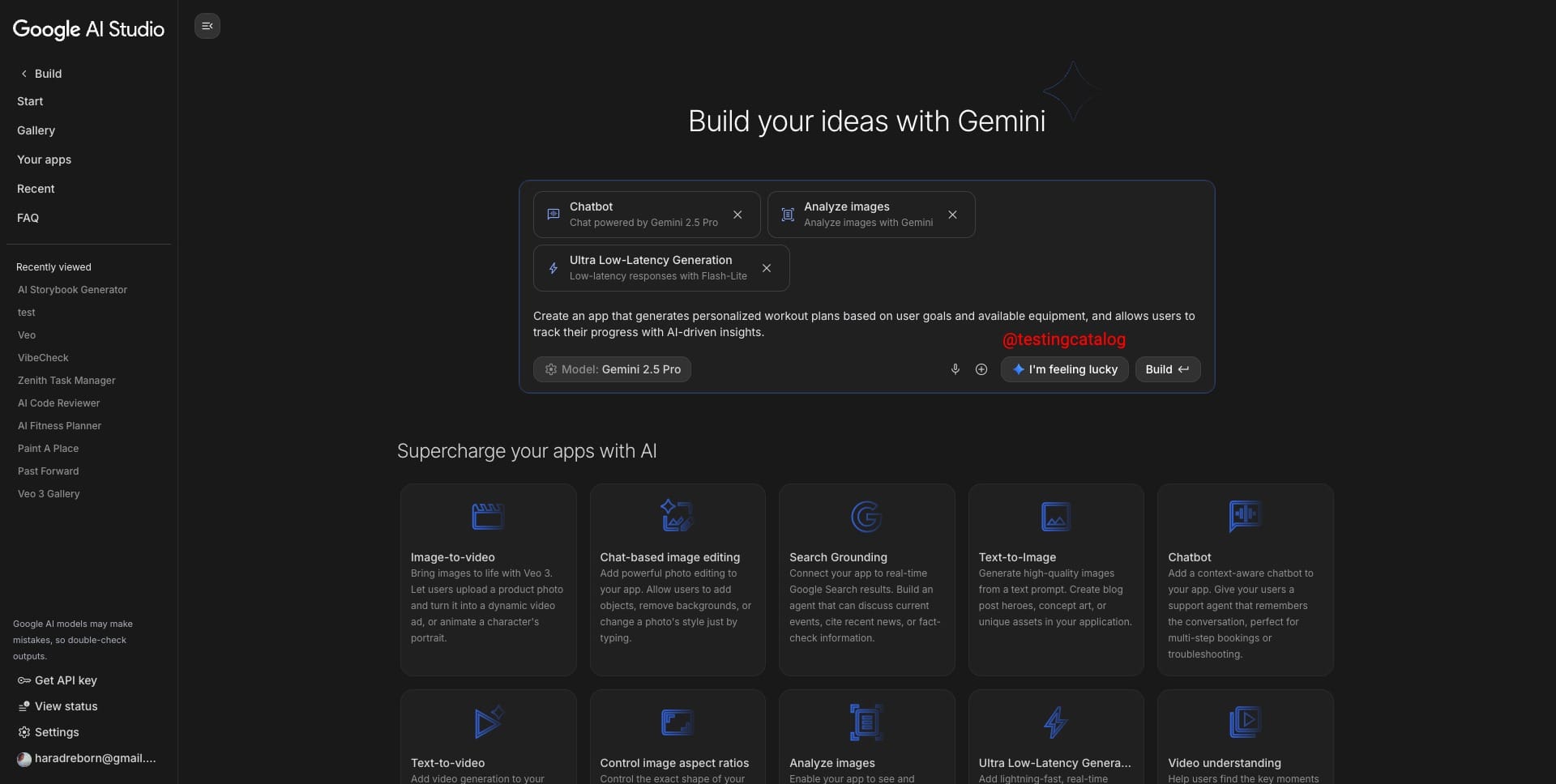
Another unreleased addition is the “I'm Feeling Lucky” button in the build section, echoing the well-known feature from Google Search. This function will auto-generate a random application prompt, pulling in various Gemini capabilities and pre-built components. For users experimenting or seeking inspiration, this shortcut can quickly showcase what the platform can do, reducing onboarding friction and making feature discovery simpler.
Google is about to add the "I am feeling lucky" button to the Build mode in AI Studio. It will come with a "building blocks" composer, so you can add Gemini features to your apps with minimal effort.
— TestingCatalog News 🗞 (@testingcatalog) October 14, 2025
"Tap tap and production" will be real 🚀 pic.twitter.com/SFYpLaiJHo
Notably, components like Nano Banana for image generation can be directly added to prompts, which streamlines workflow for those who might not know the exact syntax or available features. This approach lowers the barrier for non-expert users and encourages deeper exploration of Gemini’s multimodal abilities.
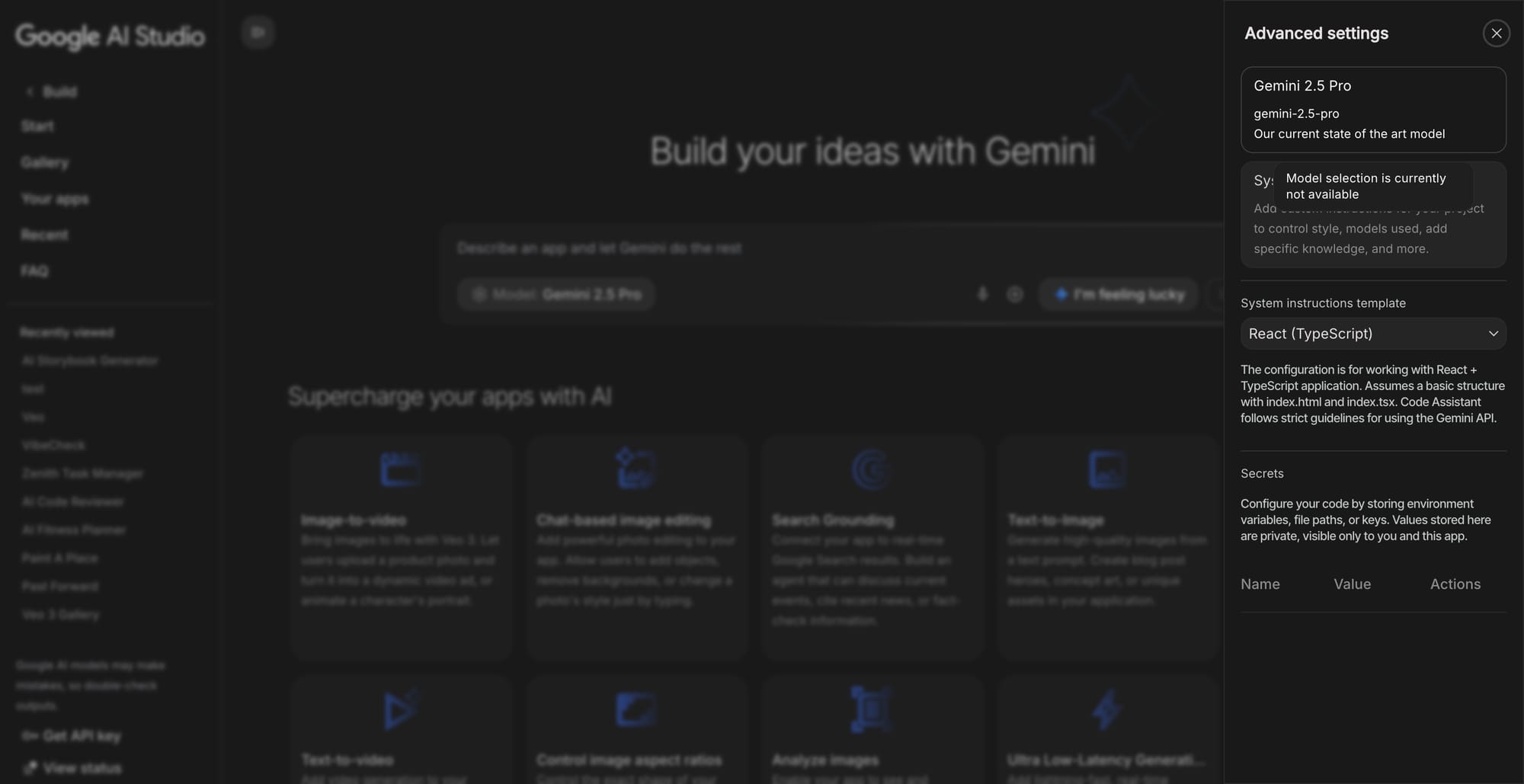
Within the same update, the model selector now displays a tooltip indicating that model choice isn’t currently available, suggesting Google is preparing to unlock additional model options in the near future. This hints at a larger product strategy where Google positions AI Studio as a flexible tool for building diverse AI workflows, with a growing emphasis on both user accessibility and enterprise-grade oversight. As these improvements roll out, Google’s focus remains on making advanced AI tooling more approachable while maintaining controls necessary for scale and reliability.


