
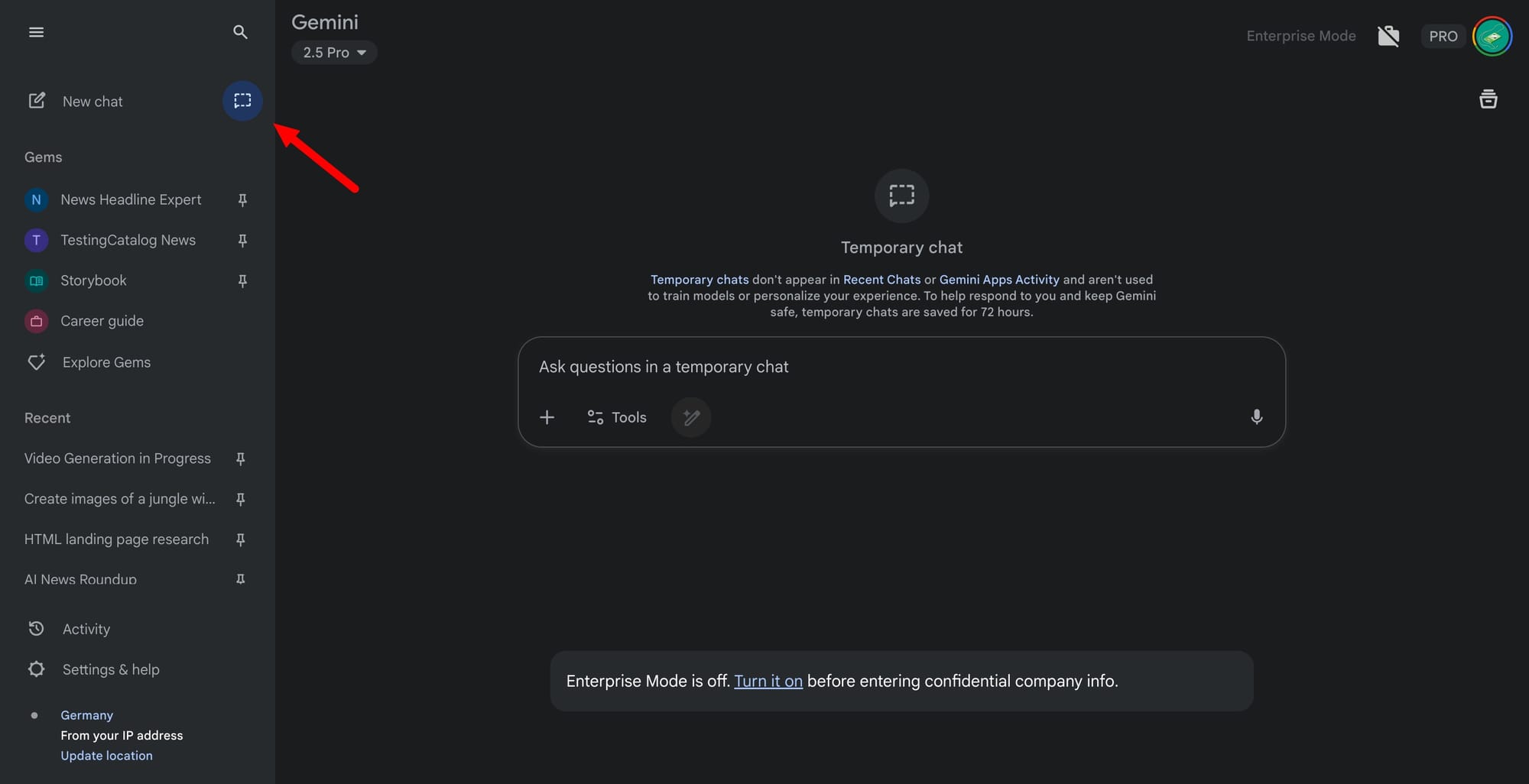
Google is rolling out Temporary Chat in Gemini alongside new privacy controls and a personalization toggle that learns from past chats. The launch starts today and will expand over the coming weeks. Personalized responses are set to default on for eligible users, but they can be switched off at any time. Availability begins on the 2.5 Pro model in select countries, with 2.5 Flash and more regions to follow. The feature is limited to consumer accounts aged 18 and over.
Here is how it works. Gemini can reference prior conversations to tailor replies; users can change this in Settings under Personal context. Temporary Chat opens a session that is excluded from recent chats and Gemini Apps Activity, is not used for personalization or model training, and is retained for up to 72 hours only to serve replies and process optional feedback.
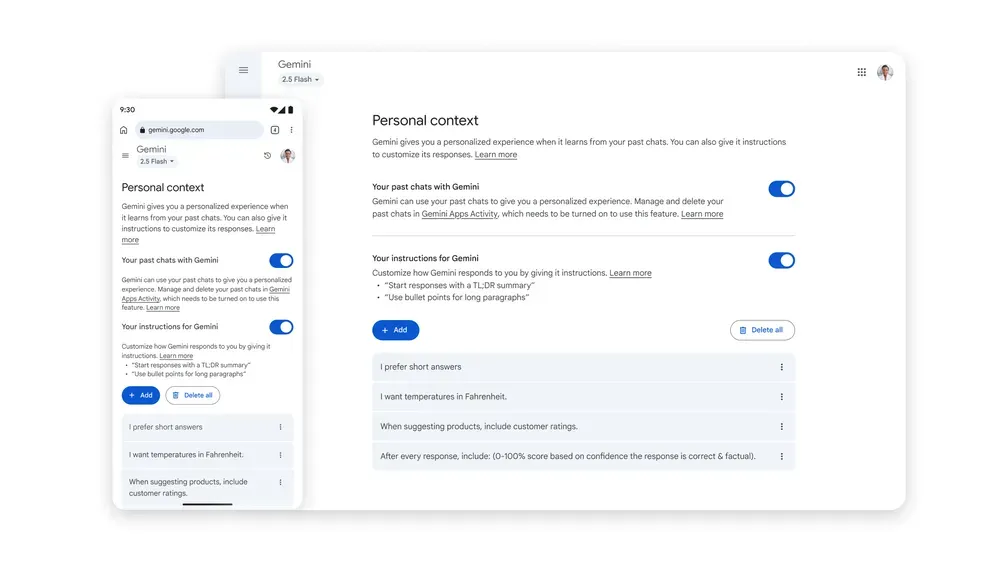
Scope and limits matter. Temporary Chat requires a signed-in personal Google Account on the web or mobile app. It is not available for work or school accounts, Gemini in Chrome, or Gemini in Google Messages. In this mode, you cannot use Gems, connected apps that need activity on, or save details for future personalisation. Access the mode next to New chat.
Data controls are changing. “Gemini Apps Activity” will be renamed “Keep Activity,” and when on, a sample of future uploads may be used to help improve Google services starting September 2, 2025. A separate control for audio, video, and screen captures shared via the mic or Gemini Live is off by default.
Context on the company and product. Google is steering Gemini toward a more personal, proactive assistant, an approach outlined at I/O. The rollout ties capabilities to its 2.5 family, starting with Pro and widening after stability checks. The firm positions transparency and user control as core to adoption.


