
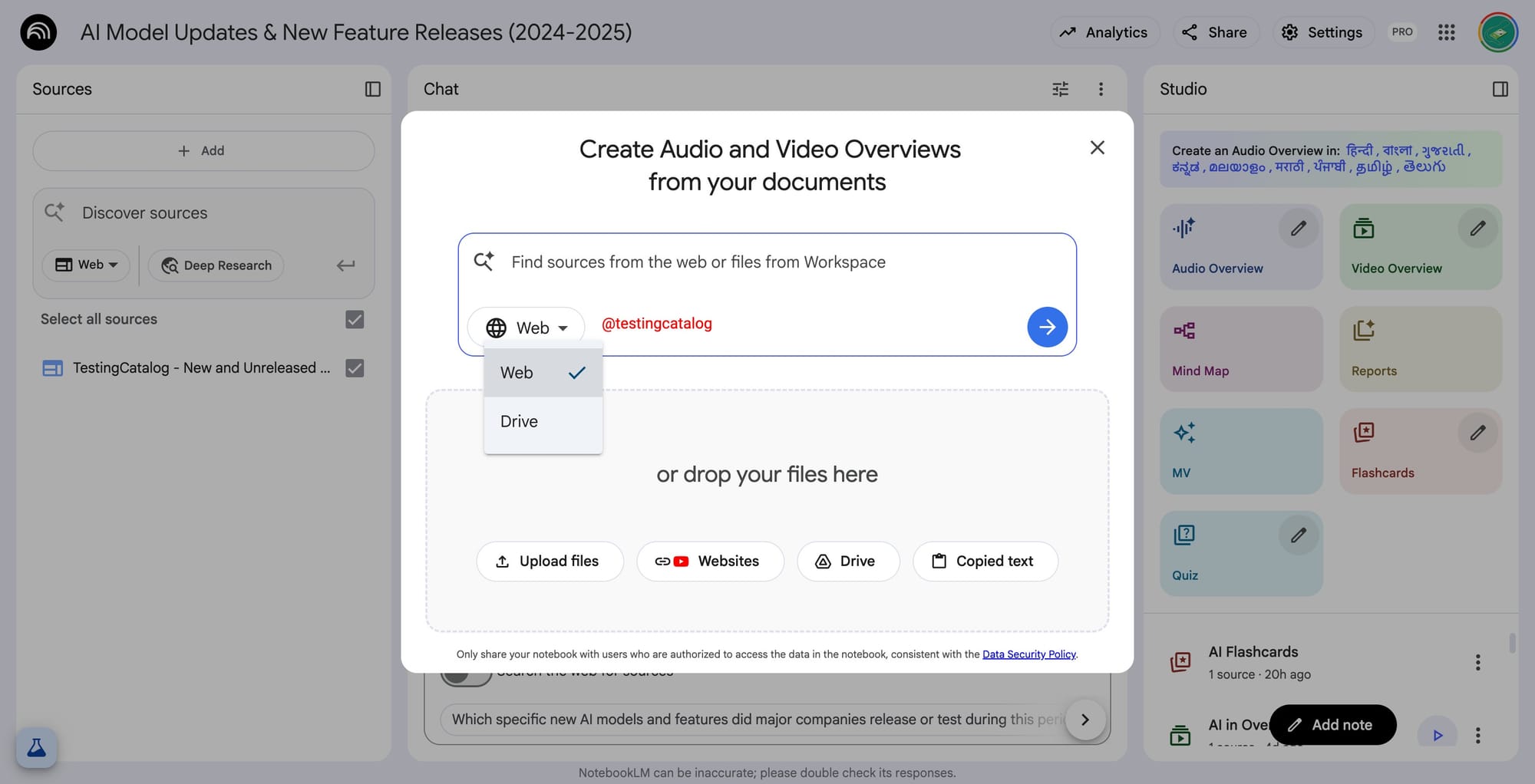
NotebookLM from Google is seeing continuous improvements, with recent changes targeting how users can gather and manage sources for their research notebooks. The main beneficiaries of these updates are professionals and teams in business and education who rely on compiling diverse types of data, documents, web results, and potentially audio or video artifacts, into a centralized workspace. The newly spotted UI will let users browse and search through their Google Drive, streamlining the process of selecting documents as sources for deeper analysis or overview generation.
A notable but still-unreleased feature is the “deep research” option. This capability, in development for more than a month, is expected to let users query a wider range of web results to pull richer, multi-source references into their notebooks. The expectation is that either the query outputs or the web pages themselves could be directly added as new sources, greatly increasing the utility for those doing comprehensive investigations or compiling reports.
"Create Audio and Video Overviews from your documents"
There are also hints in the UI, especially in workspace-tailored versions, suggesting a focus on audio and video overview creation. While there’s no concrete evidence yet of how these overviews might work, it points to possible upcoming features that allow users to generate summaries or presentations from their documents in various media formats, potentially appealing for teams creating briefings or training materials.
Google’s steady push with NotebookLM fits its broader strategy to position its Workspace suite as a central hub for content creation, research, and organizational knowledge management. If these features land soon, they could make NotebookLM far more useful for anyone needing to aggregate, analyze, and present diverse content in one place.


