

Google is preparing to introduce a Design Mode within its AI Studio, focusing on giving users the ability to directly modify user interface elements. This mode is surfaced via a new button in the prompt bar, which activates a cursor tool for selecting any component on the screen. Once a component is selected, an edit toolbox opens, allowing adjustments such as color, font, borders, and other visual properties. Users also have the option to specify changes to Gemini in written form, with the system then passing the full context to its ignition system for real-time application updates.
The feature appears to address a key pain point in AI-powered UI generation, minimizing discrepancies between user intent and actual results. By allowing direct interaction with UI elements, users can avoid ambiguous or misinterpreted prompts, resulting in a workflow that is both more transparent and controlled. This approach is particularly relevant for non-developers and those who may not have the technical skills to code UI changes, providing a more accessible way to refine the look and feel of applications. For developers, the new workflow is likely to reduce the iteration cycle, as design changes can be previewed and applied without navigating away or writing additional code.
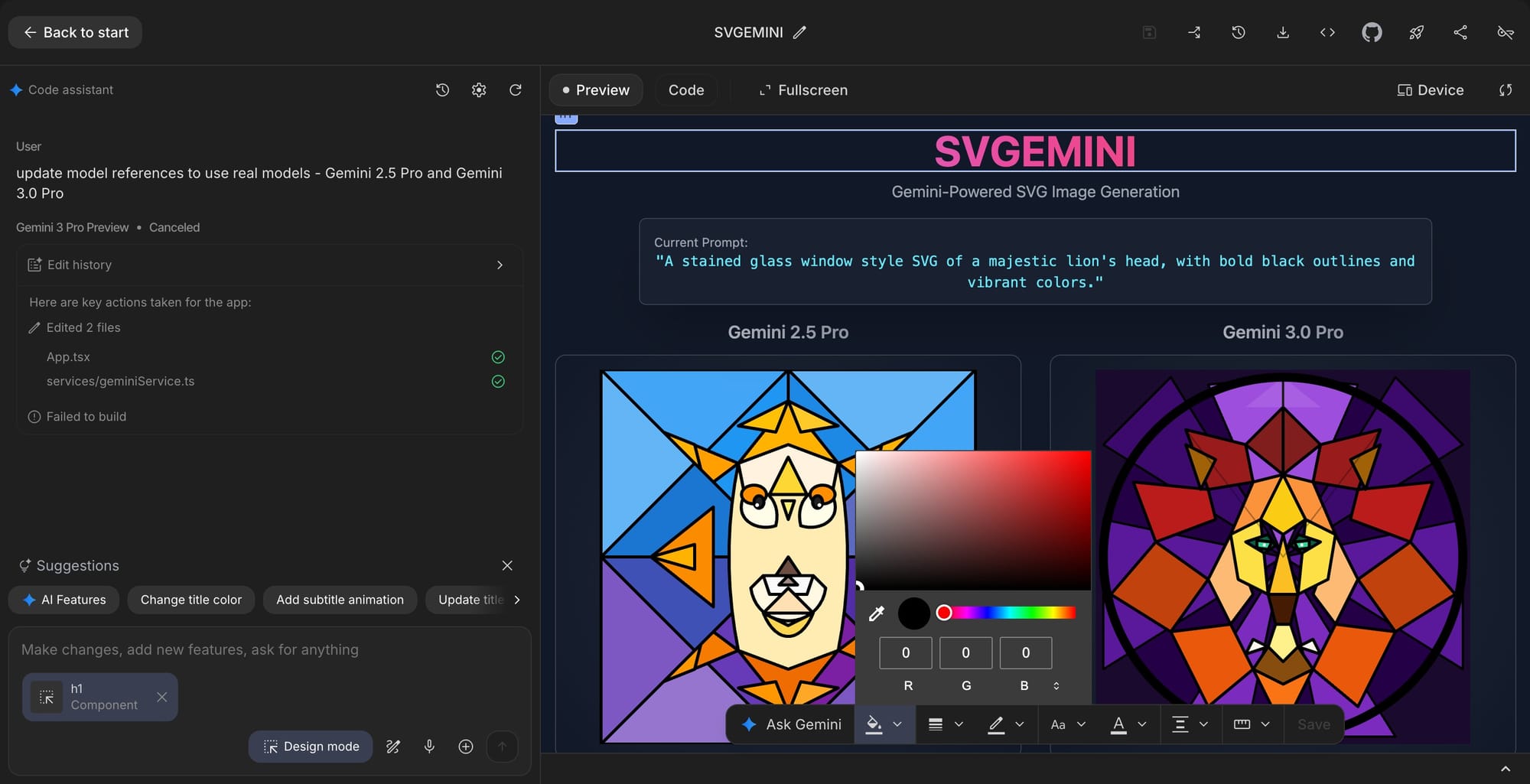
This development fits with Google’s broader strategy of embedding agentic and multimodal capabilities into its AI suite, making it easier for a wider audience to leverage advanced tools for rapid application prototyping and customisation. While the Design Mode has not been released to the public, the presence of onboarding pop-ups suggests a launch is imminent. This move positions AI Studio as a competitive tool in the growing market for no-code and low-code application development, aimed at users seeking both control and efficiency in design workflows.


