
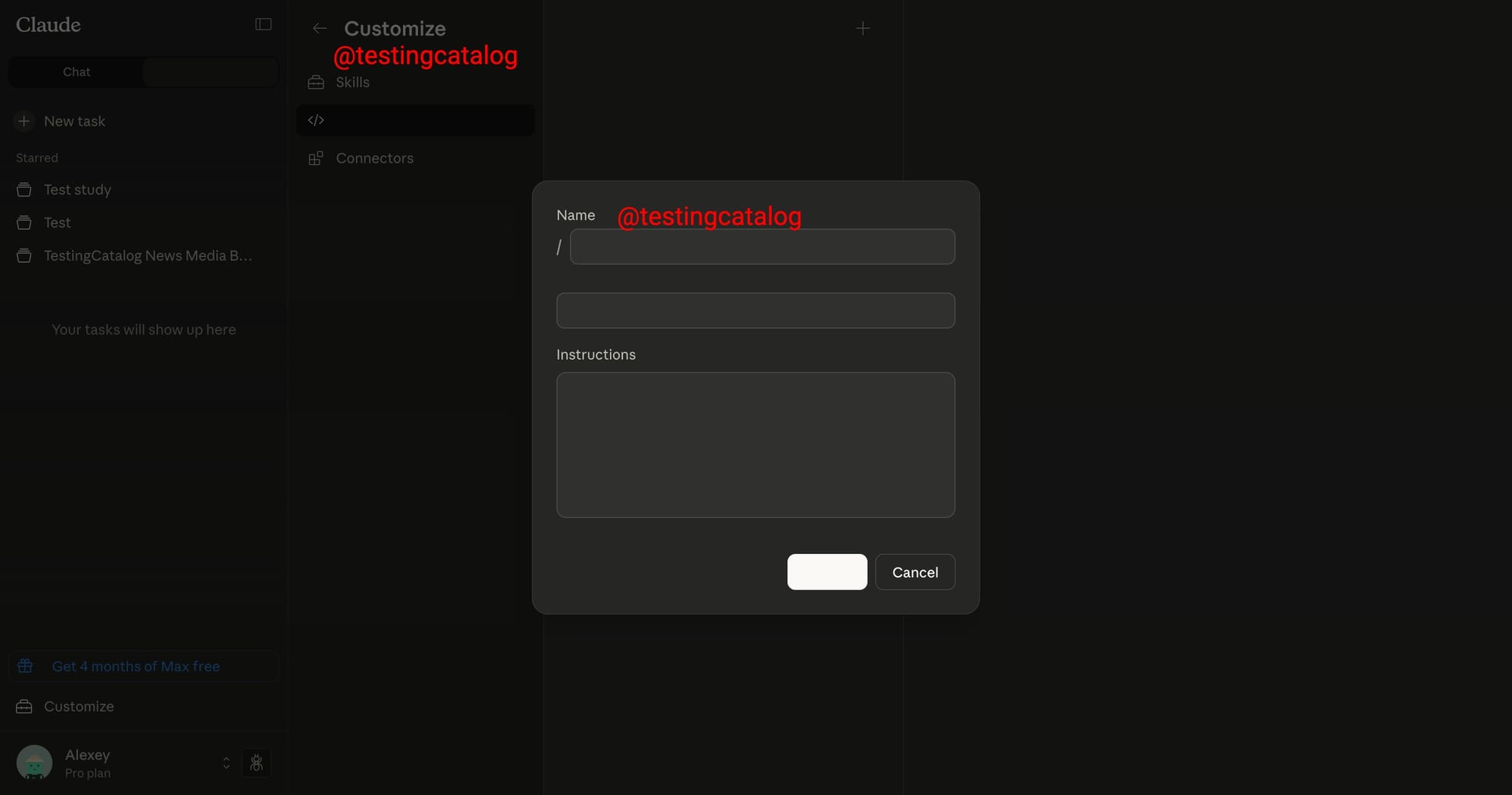
Anthropic is preparing a new feature set for Claude, named Customize, which is positioned in the left sidebar below the Projects and Artefacts sections. This addition organizes several existing and potentially new capabilities into a more structured area.
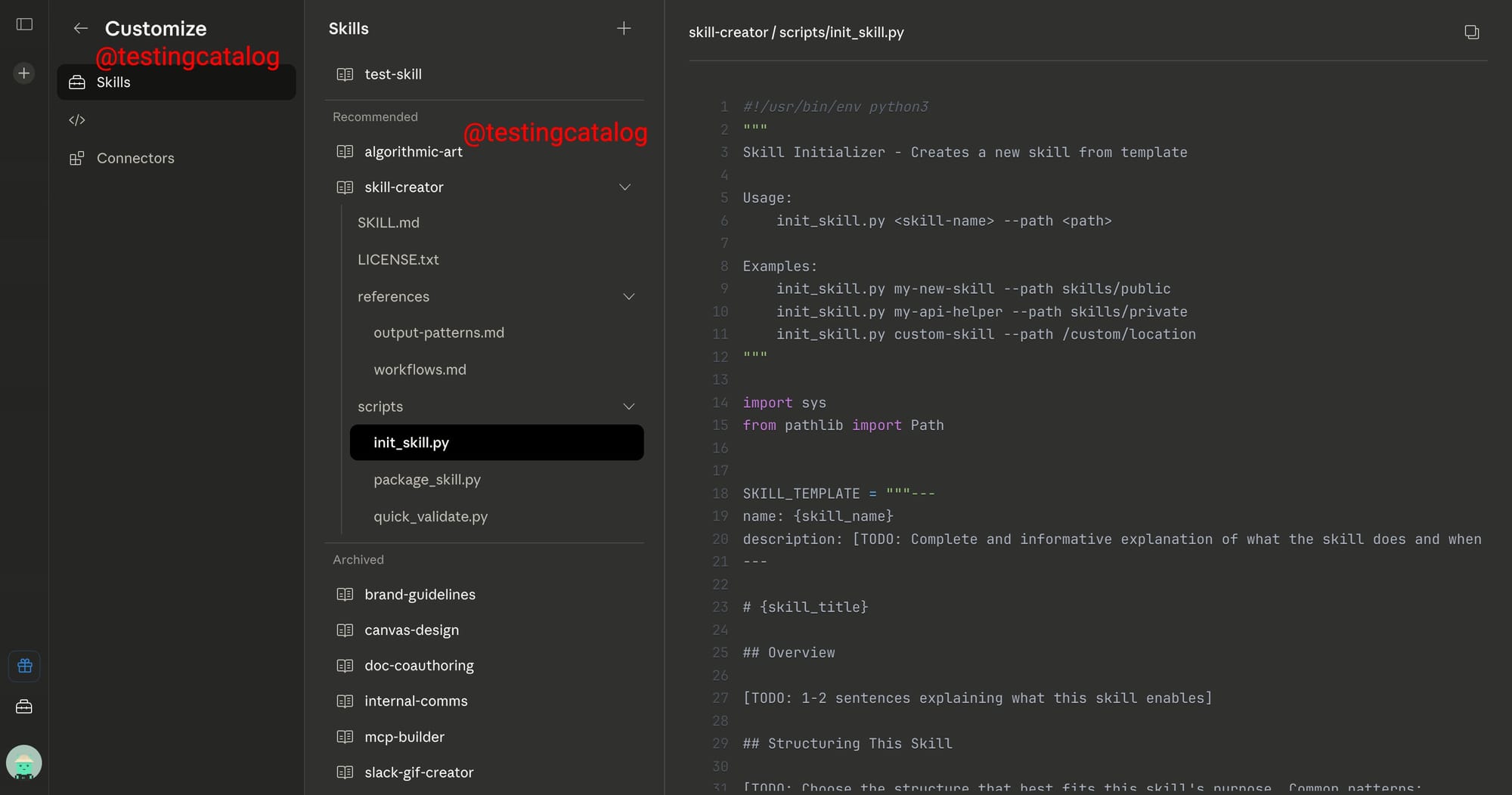
Within Customize, the Skills subsection allows users to:
- Create and manage skills
- Browse current ones
- Interact with files directly, plain text files are viewable in full, while HTML files receive an in-app preview
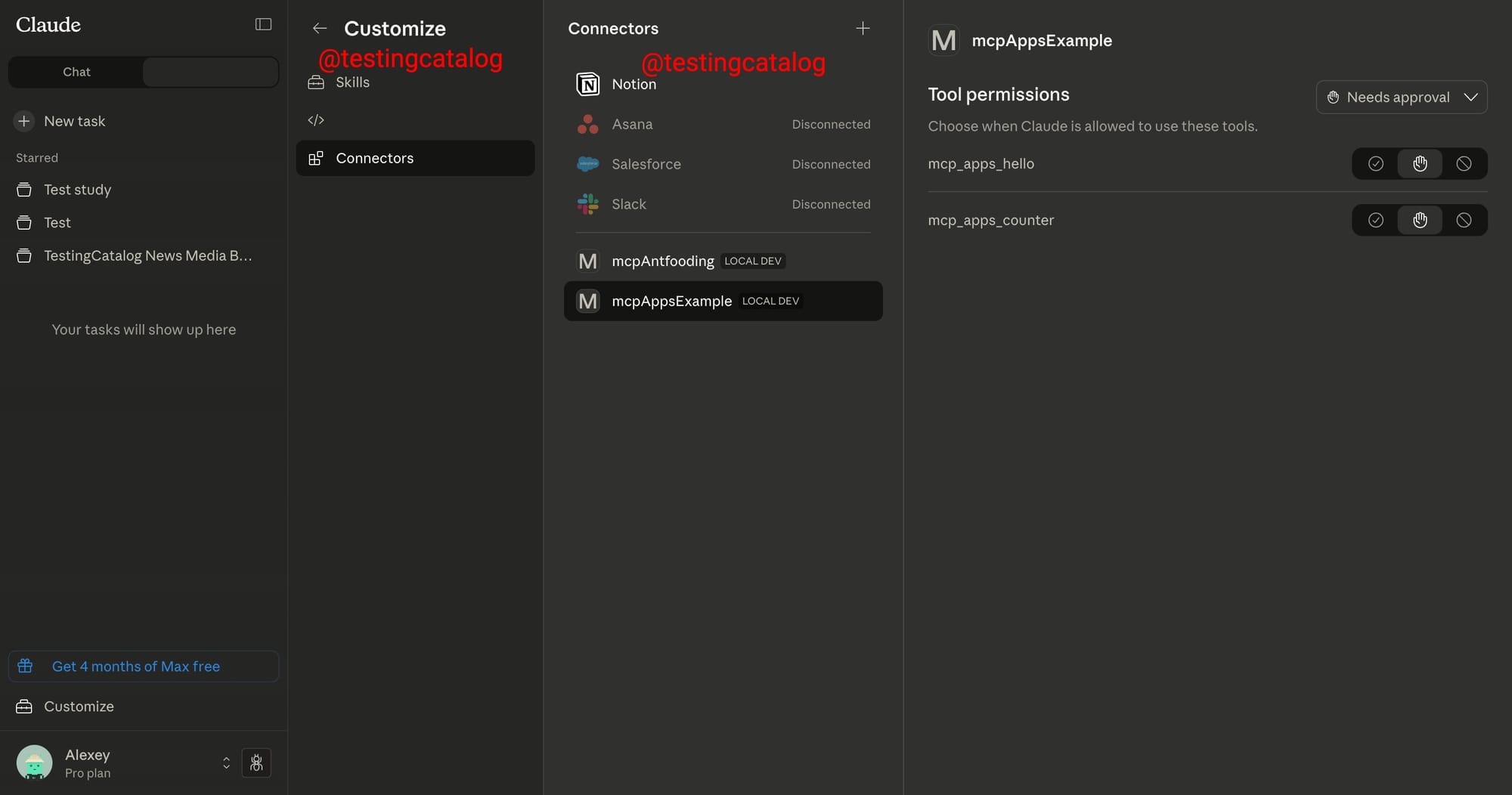
The Connectors section consolidates management of both existing and custom connectors, including permission settings, centralizing related tools that were previously spread across the interface.
Notably, a third category appears with the same icon as Claude Code, introducing the concept of Commands. Here, users will be able to define Commands with a name, description, and instructions, though the specifics of their use remain undisclosed. It appears likely that these Commands are more specialized than existing skills, possibly geared toward code-related automations, but the details are still unknown.
The recent surge in usage of the Claude macOS application, largely due to the popularity of the Claude Cowork feature, sets the stage for the upcoming Customize enhancements to become particularly relevant for desktop users. While these changes are not yet available and are likely at an early stage of development, they reflect Anthropic’s continued push to make Claude a more configurable and modular AI tool, catering to both general productivity and technical workflows.
These new features align with Anthropic’s broader strategy of expanding Claude’s flexibility for professional and technical users, consolidating existing tools, and introducing more granular customization options.


